# Recordly




### Create polished, pro-grade screen recordings.
[Recordly](https://www.recordly.dev) is an **open-source screen recorder and editor** for creating **polished walkthroughs, demos, tutorials, and product videos**.

> Note on origins: Recordly is a hard fork of the excellent [**OpenScreen**](https://github.com/siddharthvaddem/openscreen) foundation by [Siddharth](https://x.com/sidious_man), which is focused on robustness and a stable feature set. Recordly focuses on a different product direction - i.e. adding cursor animations, Apple-inspired zoom animations, smoother panning - and aims to reach full feature parity with Screen Studio.
---
## What is Recordly?
Recordly lets you record your screen and automatically transform it into a polished video. It handles the heavy lifting of zooming into important actions and smoothing out jittery cursor movement so your demos look professional by default.
Recordly runs on:
- **macOS**
- **Windows**
- **Linux**
macOS includes a **native smooth cursor animation pipeline**.
Windows and Linux currently use Electron's capture path, which means the OS cursor cannot always be hidden during recording.
---
# Features
### Recording
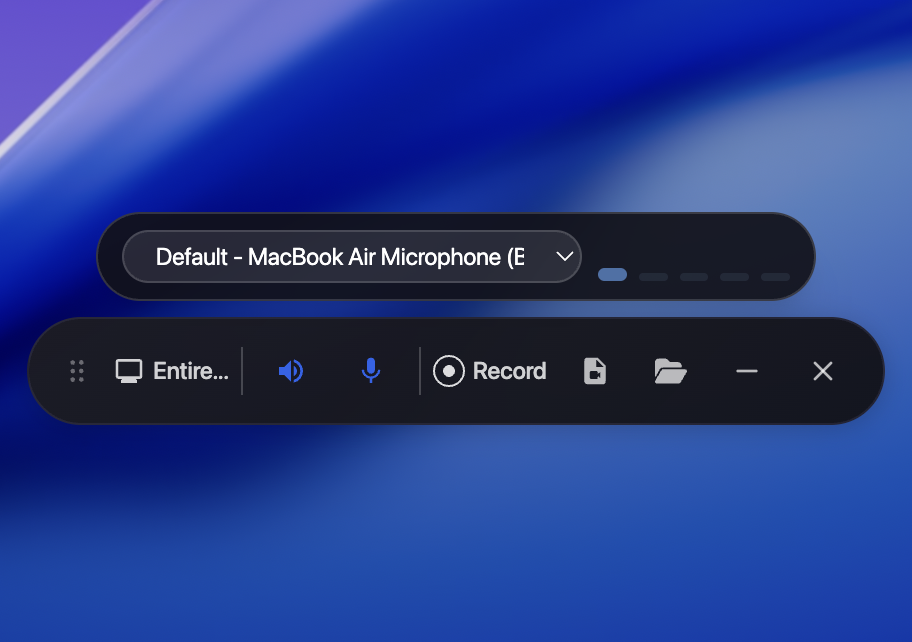
- Record an entire screen or a single window
- Jump straight from recording into the editor
- Microphone or system audio recording
- Native **ScreenCaptureKit** capture on macOS
### Smart Motion
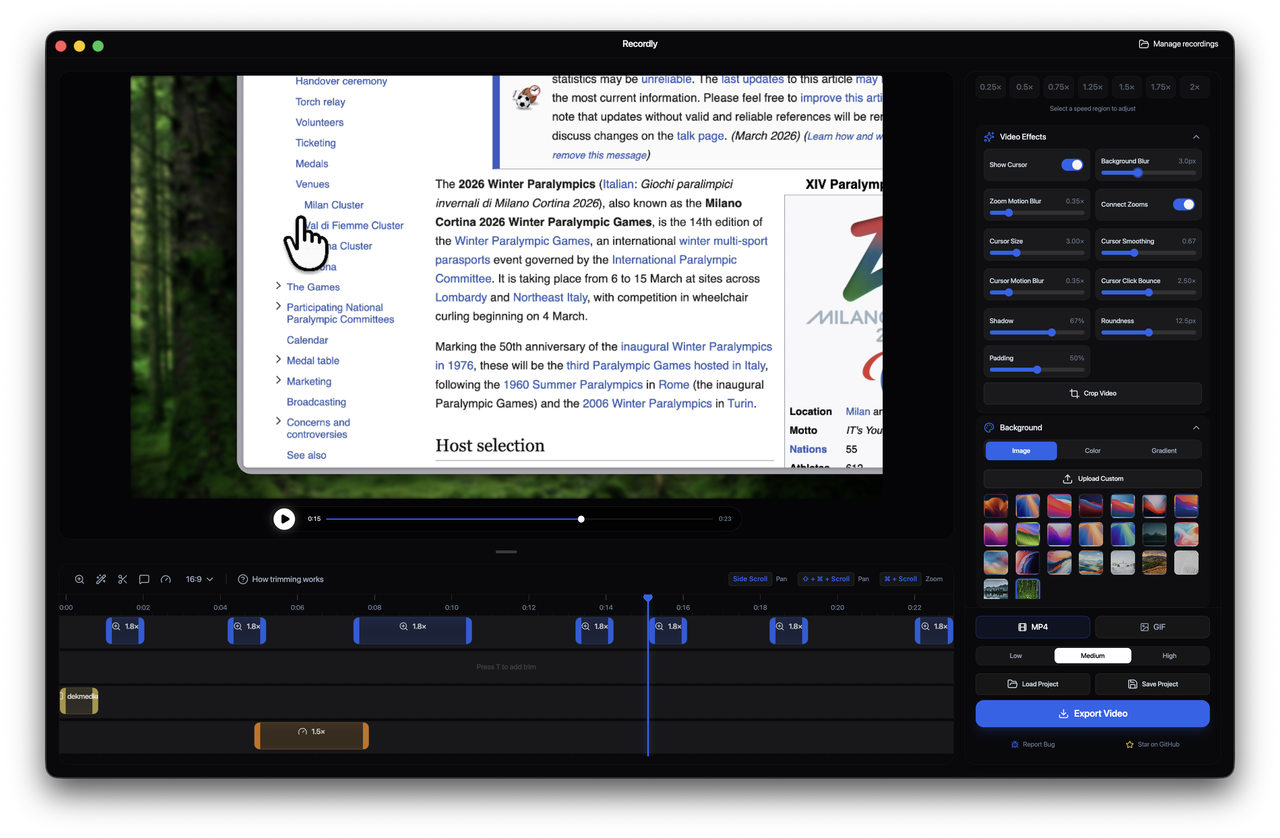
- Apple-style zoom animations
- Automatic zoom suggestions based on cursor activity
- Manual zoom regions
- Smooth pan transitions between zoom regions
### Cursor Controls
- Adjustable cursor size
- Cursor smoothing
- Motion blur
- Click bounce animation
- macOS-style cursor assets
### Editing Tools
- Timeline trimming
- Speed-up / slow-down regions
- Annotations
- Zoom spans
- Project save + reopen (`.recordly` files)
### Frame Styling
- Wallpapers
- Gradients
- Solid fills
- Padding
- Rounded corners
- Blur
- Drop shadows
### Export
- MP4 video export
- GIF export
- Aspect ratio controls
- Quality settings
---
# Screenshots
---
# Installation
## Download a build
Prebuilt releases are available here:
https://github.com/webadderall/Recordly/releases
---
## Build from source
```bash
git clone https://github.com/webadderall/Recordly.git recordly
cd recordly
npm install
npm run dev
```
---
## macOS: "App cannot be opened"
Recordly is not signed. macOS may quarantine locally built apps.
Remove the quarantine flag with:
```bash
xattr -rd com.apple.quarantine /Applications/Recordly.app
```
---
# Usage
## Record
1. Launch Recordly
2. Select a screen or window
3. Choose audio recording options
4. Start recording
5. Stop recording to open the editor
---
## Edit
Inside the editor you can:
- Add zoom regions manually
- Use automatic zoom suggestions
- Adjust cursor behavior
- Trim the video
- Add speed changes
- Add annotations
- Style the frame
Save your work anytime as a `.recordly` project.
---
## Export
Export options include:
- **MP4** for full-quality video
- **GIF** for lightweight sharing
Adjust:
- Aspect ratio
- Output resolution
- Quality settings
---
# Limitations
### Windows & Linux Cursor Capture
Electron’s desktop capture API does not allow hiding the system cursor during recording.
If you enable the animated cursor layer, recordings may contain **two cursors**.
Improving cross-platform cursor capture is an area where contributions are welcome.
---
### System Audio
System audio capture depends on platform support.
**Windows**
- Works out of the box
**Linux**
- Requires PipeWire (Ubuntu 22.04+, Fedora 34+)
- Older PulseAudio setups may not support system audio
**macOS**
- Requires macOS 12.3+
- Uses ScreenCaptureKit helper
---
# How It Works
Recordly is a **desktop video editor with a renderer-driven motion pipeline and platform-specific capture layer**.
**Capture**
- Electron orchestrates recording
- macOS uses native helpers for ScreenCaptureKit and cursor telemetry
**Motion**
- Zoom regions
- Cursor tracking
- Speed changes
- Timeline edits
**Rendering**
- Scene composition handled by **PixiJS**
**Export**
- Frames rendered through the same scene pipeline
- Encoded to MP4 or GIF
**Projects**
- `.recordly` files store the source video path and editor state
---
# Contributing
Contributions are welcome.
Please:
- Keep pull requests **focused and modular**
- Test playback, editing, and export flows
- Avoid large unrelated refactors
Areas where help is especially valuable:
- Smooth cursor pipeline for **Windows and Linux**
- **Export speed improvements**
See `CONTRIBUTING.md` for guidelines.
---
# Community
Bug reports and feature requests:
https://github.com/webadderall/Recordly/issues
Pull requests are welcome.
---
# Donations & Sponsors
---
# License
Recordly is licensed under the **MIT License**.
---
# Credits
Created by
[@webadderall](https://x.com/webadderall)
---