 大彪
9ac4dbd2e8
大彪
9ac4dbd2e8
Long recordings (35-minute screencaps were the motivating case) fail at
the 99% "Finalizing" step with a RangeError once the muxed MP4 would
exceed V8's ~2 GiB per-ArrayBuffer limit. Both export paths accumulate
the whole file in renderer memory and round-trip it through IPC, so no
output size past that point can complete:

- Legacy: src/lib/exporter/muxer.ts uses mediabunny's BufferTarget,
  which holds the entire MP4 in a single ArrayBuffer. finalize() → Blob
  → blob.arrayBuffer() → ipcRenderer.invoke('write-exported-video-to-
  path', arrayBuffer, path) — every step wants a ≥2 GiB contiguous
  allocation.
- Lightning: native-video-export-finish did fs.readFile(finalizedPath)
  and shipped the bytes back to the renderer, which re-serialized them
  again. Same ceiling.

This change moves the finished MP4 across the renderer↔main boundary
via a temp file instead of an ArrayBuffer:

- New electron/ipc/export/exportStream.ts manages streaming temp files
  via fh.write(buf, 0, len, position) so out-of-order writes (moov box
  rewrites, etc.) stay safe. Each session lives in a 0700 mkdtemp()
  directory opened with O_CREAT | O_EXCL so a hostile local user on a
  shared tempdir cannot pre-plant a symlink at the predicted path.
- New renderer-facing IPCs: export-stream-open/write/close,
  finalize-exported-video (renames temp to final path, copy+unlink
  fallback on EXDEV/EPERM/ENOTEMPTY with console.warn on leaked bytes),
  mux-exported-video-audio-from-path (FFmpeg audio fallback that takes
  a path instead of an ArrayBuffer), and discard-exported-temp. Every
  handler validates the caller-supplied path against an owned-export-
  paths registry before touching disk, so a compromised renderer cannot
  route arbitrary filesystem paths into main-process deletes/moves.
- The muxer now picks mediabunny's StreamTarget automatically when the
  Electron bridge is available (BufferTarget stays for tests and any
  non-Electron callers). finalize() returns { mode, tempFilePath,
  bytesWritten } or { mode, blob } so the exporter can branch.
- Exporters forward tempFilePath through ExportResult. Lightning's
  finish returns the ffmpeg temp path directly; the FFmpeg audio
  fallback forks on the muxer result type. modernVideoExporter's
  Lightning success branch now accepts tempFilePath (previously it
  checked blob only, which regressed every native export).
- VideoEditor.tsx dispatches on tempFilePath: finalize via the new IPC,
  keep the temp in place when the save dialog is canceled so "Save
  Again" still works without re-rendering, keep the pending-save entry
  alive on non-canceled save failures, and discard the temp on unmount
  or explicit clear. GIF and smoke-test code paths still use the
  legacy Blob path unchanged.
- app.on('before-quit') also reaps any open streaming sessions via
  cleanupAllExportStreams().

Chunk size is 16 MiB — well under Electron/Mojo IPC message limits
while keeping total writes low (~160 for a 2.5 GB export).

Tested locally: exported a 35:13 source (~2.7 GiB H.264 input) at
Original 1920×1080 + Balanced. Previously failed on finalize with a
RangeError; with this patch the Legacy pipeline produced a valid 3.7
GiB MP4 whose ffmpeg -i duration/streams match the source.

Addresses #194.
Recordly
Language: EN | 简中



Create polished, pro-grade screen recordings.
Recordly is an open-source screen recorder and editor for walkthroughs, demos, product videos, and more.
Contribution encouraged. Donate
https://github.com/user-attachments/assets/1446cd12-c053-4b9c-b49f-d9c93db77fc4
What is Recordly?
Recordly is a desktop app for recording and editing screen captures with motion-driven presentation tools built in. Instead of sending raw footage to a motion designer just to add zooms, cursor polish, or a styled background, Recordly handles that workflow in one place for free.
Recordly runs on:
- macOS 14.0+
- Windows 10 Build 19041+
- Linux on modern distros
Platform notes:
- macOS uses native ScreenCaptureKit-based capture helpers.
- Windows uses a native Windows Graphics Capture (WGC) helper on supported builds, with native WASAPI audio support.
- Linux records through Electron capture APIs. Cursor hiding is not supported on Linux today.
Core Features
Auto-zooms, cursor polish, and styled frames
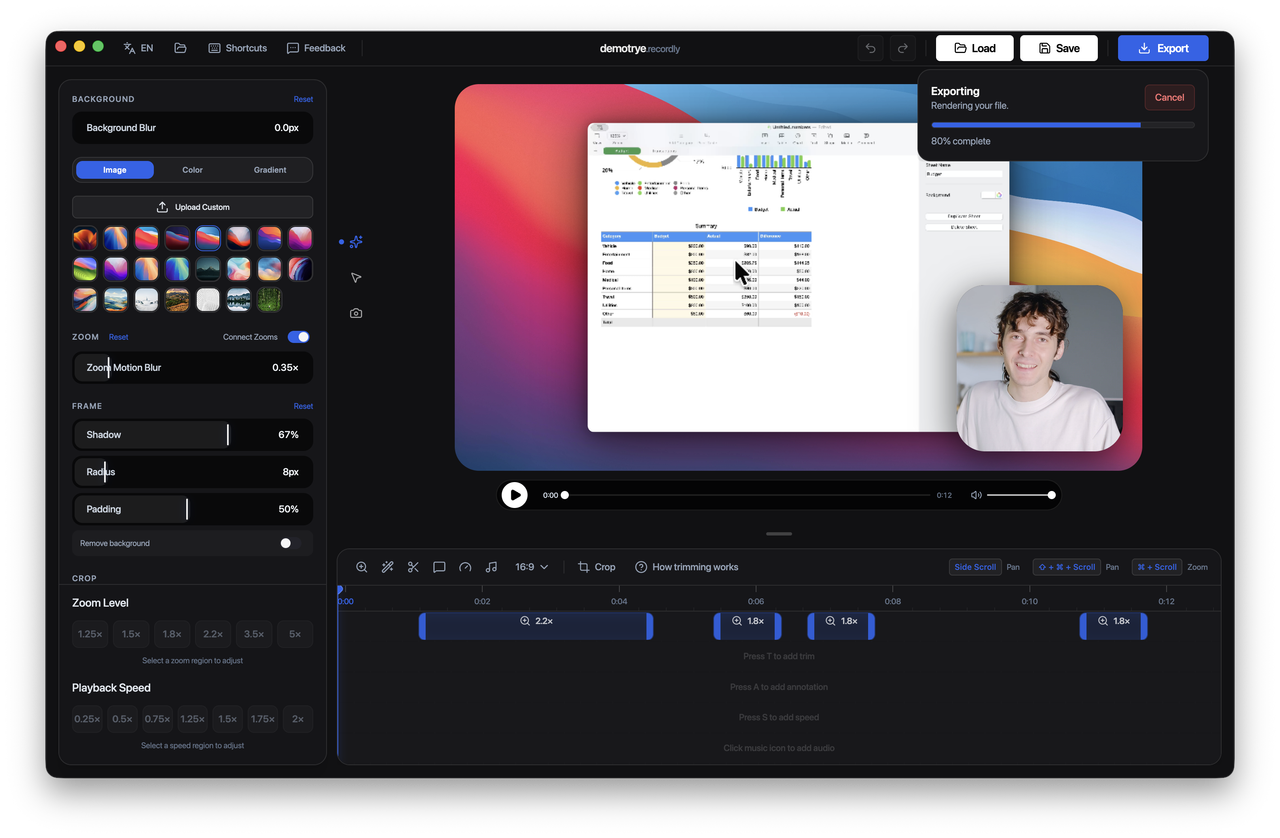
Recordly can automatically emphasize activity with zoom suggestions, smooth cursor movement, add motion effects, and place the final composition inside a styled frame with wallpapers, colors, gradients, blur, padding, and shadows.

Dynamic webcam bubble overlays
Add webcam footage as an overlay bubble, position it with presets or custom coordinates, mirror it, control shadow and roundness, and optionally make it react to zoom so it stays visually balanced during motion.

Timeline editing built for demos
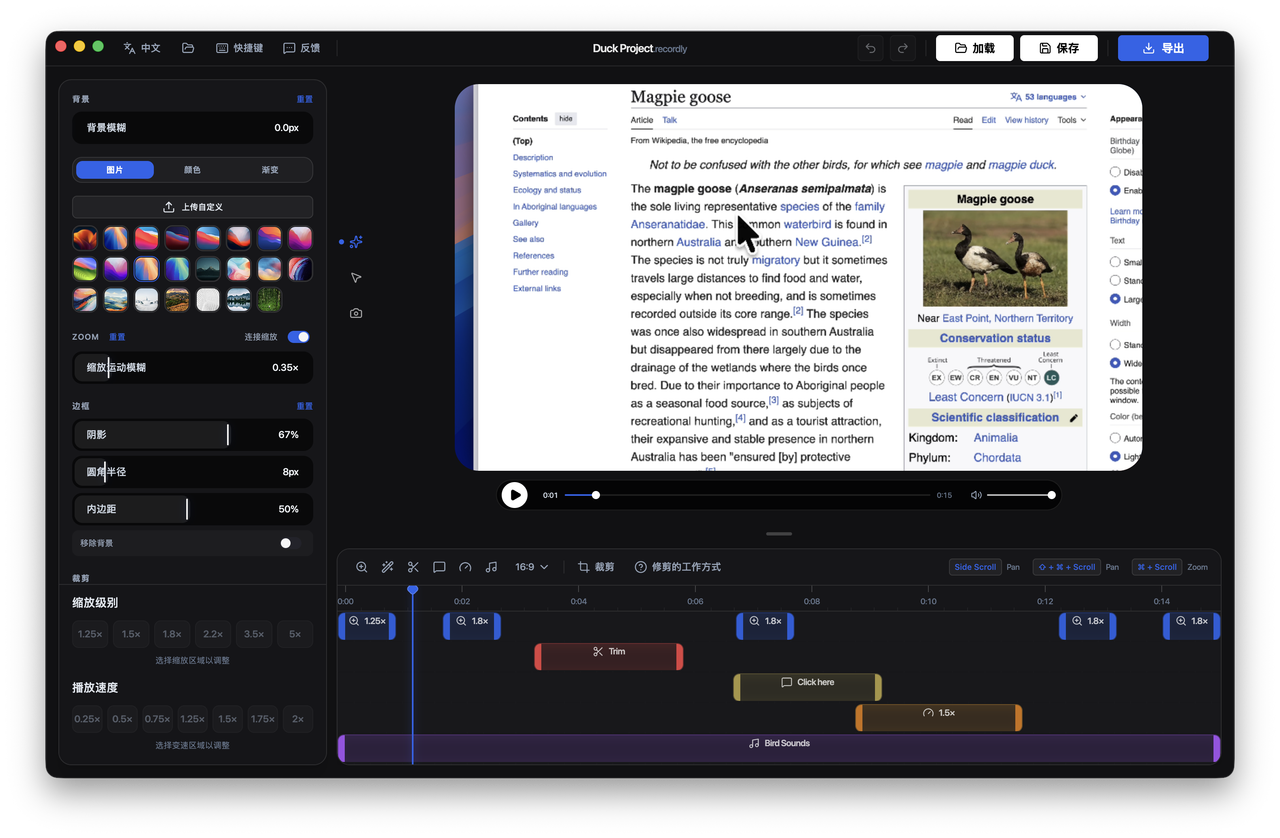
Use drag-and-drop timeline tools for zooms, trims, speed regions, annotations, extra audio regions, and crop-aware edits. Save and reopen work as .recordly project files.

Extensions & Marketplace
Recordly has a community-driven extension system. Anyone can build and publish extensions that add new capabilities to Recordly — cursor click sounds, device frames, browser mockups, wallpapers, render hooks, settings panels, and more.
Browse and install community extensions from the Recordly Marketplace.
All Features
Recording
- Record an entire display or a single app window
- Jump directly from recording into the editor
- Capture microphone audio and system audio
- Use native capture backends where supported
- Resume editing from saved
.recordlyproject files - Open existing recordings or existing project files from the app
Timeline and Editing
- Drag-and-drop timeline editing
- Trim unwanted sections
- Add manual zoom regions
- Use automatic zoom suggestions based on cursor activity
- Add speed-up and slow-down regions
- Add text, image, and figure annotations
- Add extra audio regions on the timeline
- Crop the recorded frame
- Save and reopen projects with editor state preserved
Cursor Controls
- Show or hide the rendered cursor overlay
- Cursor size adjustment
- Cursor smoothing
- Cursor motion blur
- Cursor click bounce
- Cursor sway
- Cursor loop mode for cleaner looping exports
- macOS-style cursor assets for the rendered overlay
Webcam Overlay
- Enable or disable webcam overlay footage
- Upload, replace, or remove webcam footage
- Mirror webcam footage
- Size control
- Preset positions and custom X/Y placement
- Margin control
- Roundness control
- Shadow control
- Optional zoom-reactive webcam scaling
Frame Styling and Backgrounds
- Built-in wallpapers
- Runtime wallpaper discovery from the wallpapers directory
- Custom uploaded backgrounds
- Solid color backgrounds
- Gradient backgrounds
- Frame padding
- Rounded corners
- Background blur
- Drop shadows
- Aspect ratio presets for the final frame
Export
- MP4 export
- GIF export
- Export quality selection
- GIF frame-rate selection
- GIF loop toggle
- GIF size presets
- Aspect ratio and output dimension controls
- Reveal exported files in the system file manager
Workflow and Usability
- Customizable keyboard shortcuts
- In-app shortcut reference
- Feedback and issue links from the editor
- Project persistence for editor preferences
- Faster preview recovery after export
Screenshots
Installation
Download a build
Prebuilt releases are available at:
https://github.com/webadderall/Recordly/releases
Arch Linux / Manjaro (yay)
Install from the AUR (recordly-bin):
yay -S recordly-bin
PKGBUILD, desktop entry, release sync, and optional local-from-source packaging live in recordly-aur so this repository stays free of Arch release chores. For maintainer contact and how the package is updated, see that repo or the AUR package page.
Build from source
Prerequisites
macOS: Xcode Command Line Tools (xcode-select --install).
Linux (Ubuntu/Debian):
sudo apt install build-essential cmake libx11-dev libxtst-dev libxrandr-dev libxt-dev
Windows: Visual Studio 2022 (or Build Tools) with the C++ workload and CMake.
Steps
git clone https://github.com/webadderall/Recordly.git recordly
cd recordly
npm install
npm run dev
For packaged builds:
npm run build
Target-specific build commands are also available:
npm run build:macnpm run build:winnpm run build:linux
macOS: "App cannot be opened"
Locally built apps may be quarantined by macOS.
Remove the quarantine flag with:
xattr -rd com.apple.quarantine /Applications/Recordly.app
System Requirements
| Platform | Minimum version | Notes |
|---|---|---|
| macOS | macOS 14.0 (Sonoma) | Required for ScreenCaptureKit audio and microphone capture. |
| Windows | Windows 10 20H1 (Build 19041, May 2020) | Required for the native Windows Graphics Capture (WGC) helper and best cursor-hiding behavior. |
| Linux | Any modern distro | Recording works through Electron capture. System audio generally requires PipeWire. |
Important
On Windows builds older than 19041, recording can still work through fallback capture, but the real OS cursor may remain visible in recordings.
Usage
Record
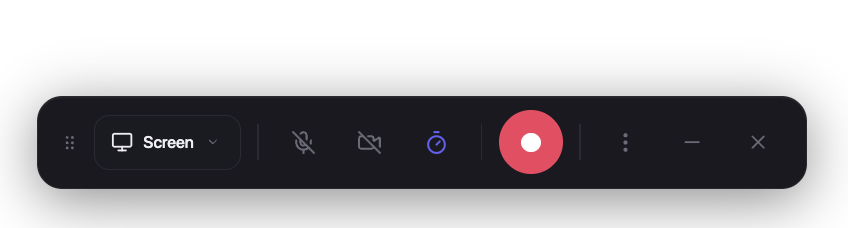
- Launch Recordly.
- Select a screen or window.
- Choose microphone and system-audio options.
- Start recording.
- Stop recording to open the editor.
Edit
Inside the editor you can:
- add trims, zooms, speed regions, and annotations
- tune cursor behavior and preview volume
- style the frame with wallpapers, colors, gradients, blur, padding, and corners
- add or adjust webcam overlay footage
- add extra audio regions
- crop the frame and choose an aspect ratio
Save your work anytime as a .recordly project.
Export
Export options include:
- MP4 for standard video output
- GIF for lightweight sharing and loops
You can adjust format-specific settings such as quality, GIF frame rate, GIF looping, and output size before export.
Limitations
Cursor capture
Recordly renders a polished cursor overlay on top of the recording. Platform cursor-hiding behavior still depends on OS support.
macOS
- ScreenCaptureKit can exclude the real cursor cleanly.
Windows
- Best results require Windows 10 Build 19041+ and the native capture helper.
- Older builds fall back to Electron capture, so the real cursor may remain visible.
Linux
- Electron desktop capture does not currently support cursor hiding.
- If you also enable the rendered cursor overlay, exports may show both the real cursor and the styled cursor.
System audio
System audio support varies by platform.
Windows
- Native WASAPI support
Linux
- Usually requires PipeWire
macOS
- Requires macOS 14.0+ and the ScreenCaptureKit-based workflow
How It Works
Recordly combines a platform-specific capture layer with a renderer-driven editor and export pipeline.
Capture
- Electron coordinates recording and application flow
- macOS uses native ScreenCaptureKit helpers
- Windows uses a native Windows Graphics Capture (WGC) helper and native audio helpers where available
Editing
- Timeline regions define zooms, trims, speed changes, audio overlays, and annotations
- Cursor and webcam styling are applied in the editor state
Rendering
- Scene composition is handled by PixiJS
Export
- The same scene logic used in preview is rendered into exported MP4 or GIF output
Projects
.recordlyfiles store the source media path plus editor state so work can be reopened later
Contribution
Contributions are welcome.
Areas where help is especially useful:
- Linux capture and cursor behavior
- Export performance and stability
- UI and UX refinement
- Localisation work
- Additional editor tools and workflow polish
Please keep pull requests focused, test recording/edit/export flows, and avoid unrelated refactors.
See CONTRIBUTING.md for guidelines.
Community
Bug reports and feature requests:
https://github.com/webadderall/Recordly/issues
Pull requests are welcome.
Hall of Supporters


- Tadees
- buildwithfur
- Tobias
- Anonymous Supporter
- Roberto Marcelino
- Rajan RK
- Francesco
- Erwan
- Anonymous supporter
License
Recordly is licensed under the AGPL 3.0.
Credits
Acknowledgements
Recordly originally started as a fork of OpenScreen and has since diverged.
Created by
@webadderall