 Utku
191916321b
Utku
191916321b
* feat: comprehensive settings and modal UI/UX improvements

Redesigned settings interface and modal windows with improved visual
hierarchy, spacing, and modern styling throughout the application.

Settings UI improvements:
- Enhanced section headers with proper flexbox layout and centering
- Simplified storage usage display to single percentage with clearer info
- Improved settings cards with consistent spacing and hover states
- Redesigned session manager with horizontal card layout
- Reordered account settings (username → email → password)
- Removed duplicate password option from security tab

Form and input improvements:
- Increased container padding (20px → 24px) for better breathing room
- Tightened label-to-input gap (8px → 6px) for better visual grouping
- Enhanced labels with bolder weight (500 → 600) and refined color
- Larger input fields (12px 14px padding) with smoother corners (6px)
- Added hover states with border color transitions
- Removed distracting box-shadow focus rings across all inputs/selects

Button improvements:
- Modernized primary buttons with solid colors (removed gradients)
- Added flexbox centering for consistent text alignment
- Reduced button text size (13px) for cleaner appearance
- Improved default button styling with refined gray palette
- Better active/hover state transitions

Select dropdown improvements:
- Custom SVG chevron arrow with proper 12px right spacing
- Fixed select resizing issue on focus (removed global border/padding override)
- Full-width selects in modals with consistent styling
- Smooth hover states without size changes

Modal windows:
- Consistent 380px width for form modals, 400px for desktop bg settings
- Unified .settings-form-container class across all modals
- Proper ARIA labels and semantic HTML structure
- Error/success messages with refined colors and better contrast

Desktop background settings:
- Color blocks increased to 32px for easier interaction
- Fixed focus outline clipping with proper overflow handling
- Removed scale effects for cleaner interactions
- Flexbox layout for color grid with proper spacing
- Fixed palette icon display with inline background image

Window chrome:
- Increased default shadow (0 12px 24px, 0.12 opacity)
- Enhanced active window shadow (0 16px 40px, 0.18 opacity)
- Better visual depth and window hierarchy

File organization:
- Moved UIWindowManageSessions to Settings folder
- Created helpers/build_settings_card.js for reusable components
- Updated all imports to reflect new structure

* bring back shadow

* improve 2fa + fix theme not changing on cancel bug + fix couple more issues

* style polish

* remove unused styles

* i18n

* fix search bar clipping

* group reset & customize color buttons

* more polish

* enforce min width/height on resizable

* resizable settings and show full name on hover

* style tweaks

The Internet OS! Free, Open-Source, and Self-Hostable.
« LIVE DEMO »
Puter.com
·
App Store
·
Developers
·
CLI
·
Discord
·
Reddit
·
X
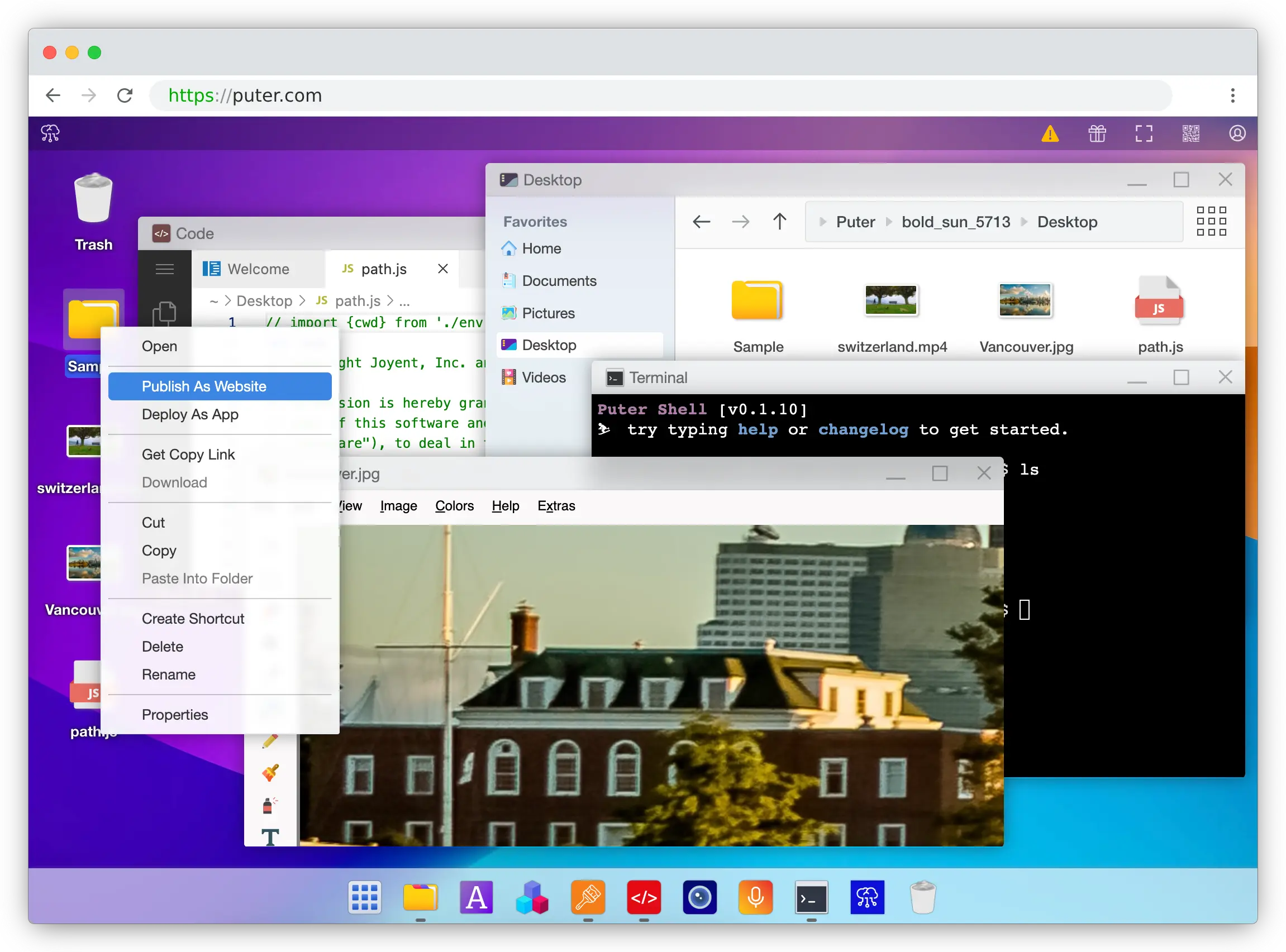
Puter
Puter is an advanced, open-source internet operating system designed to be feature-rich, exceptionally fast, and highly extensible. Puter can be used as:
- A privacy-first personal cloud to keep all your files, apps, and games in one secure place, accessible from anywhere at any time.
- A platform for building and publishing websites, web apps, and games.
- An alternative to Dropbox, Google Drive, OneDrive, etc. with a fresh interface and powerful features.
- A remote desktop environment for servers and workstations.
- A friendly, open-source project and community to learn about web development, cloud computing, distributed systems, and much more!
Getting Started
💻 Local Development
git clone https://github.com/HeyPuter/puter
cd puter
npm install
npm start
→ This should launch Puter at http://puter.localhost:4100 (or the next available port).
If this does not work, see First Run Issues for troubleshooting steps.
🐳 Docker
mkdir puter && cd puter && mkdir -p puter/config puter/data && sudo chown -R 1000:1000 puter && docker run --rm -p 4100:4100 -v `pwd`/puter/config:/etc/puter -v `pwd`/puter/data:/var/puter ghcr.io/heyputer/puter
→ This should launch Puter at http://puter.localhost:4100 (or the next available port).
🐙 Docker Compose
Linux/macOS
mkdir -p puter/config puter/data
sudo chown -R 1000:1000 puter
wget https://raw.githubusercontent.com/HeyPuter/puter/main/docker-compose.yml
docker compose up
→ This should be available at http://puter.localhost:4100 (or the next available port).
Windows
mkdir -p puter
cd puter
New-Item -Path "puter\config" -ItemType Directory -Force
New-Item -Path "puter\data" -ItemType Directory -Force
Invoke-WebRequest -Uri "https://raw.githubusercontent.com/HeyPuter/puter/main/docker-compose.yml" -OutFile "docker-compose.yml"
docker compose up
→ This should launch Puter at http://puter.localhost:4100 (or the next available port).
🚀 Self-Hosting
For detailed guides on self-hosting Puter, including configuration options and best practices, see our Self-Hosting Documentation.
☁️ Puter.com
Puter is available as a hosted service at puter.com.
System Requirements
- Operating Systems: Linux, macOS, Windows
- RAM: 2GB minimum (4GB recommended)
- Disk Space: 1GB free space
- Node.js: Version 20.19.5+ (Version 23+ recommended)
- npm: Latest stable version
Support
Connect with the maintainers and community through these channels:
- Bug report or feature request? Please open an issue.
- Discord: discord.com/invite/PQcx7Teh8u
- X (Twitter): x.com/HeyPuter
- Reddit: reddit.com/r/puter/
- Mastodon: mastodon.social/@puter
- Security issues? security@puter.com
- Email maintainers at hi@puter.com
We are always happy to help you with any questions you may have. Don't hesitate to ask!
License
This repository, including all its contents, sub-projects, modules, and components, is licensed under AGPL-3.0 unless explicitly stated otherwise. Third-party libraries included in this repository may be subject to their own licenses.
Translations
- Arabic / العربية
- Armenian / Հայերեն
- Bengali / বাংলা
- Chinese / 中文
- Danish / Dansk
- English
- Farsi / فارسی
- Finnish / Suomi
- French / Français
- German / Deutsch
- Hebrew/ עברית
- Hindi / हिंदी
- Hungarian / Magyar
- Indonesian / Bahasa Indonesia
- Italian / Italiano
- Japanese / 日本語
- Korean / 한국어
- Malay / Bahasa Malaysia
- Malayalam / മലയാളം
- Polish / Polski
- Portuguese / Português
- Romanian / Română
- Russian / Русский
- Spanish / Español
- Swedish / Svenska
- Tamil / தமிழ்
- Telugu / తెలుగు
- Thai / ไทย
- Turkish / Türkçe
- Ukrainian / Українська
- Urdu / اردو
- Vietnamese / Tiếng Việt