 baldurk
506d6c6d7b
baldurk
506d6c6d7b
* The problem here is that due to design flaws in the extension when ASs are in
  use we don't know whether a memory allocation will need BDA or not an the
  application doesn't have to set any flag - unlike for normal buffer BDA. So we
  promote (almost) all memory allocations to BDA when using ASs even if they're
  not needed.
* This normally works fine except if during self-capture the replay process
  allocates some normal memory before all application replayed allocations have
  been made, the self-capturing will promote it to BDA and request a replayable
  address that might clash with a later address the application had used and
  would be needed.
* To solve this, we ensure that during capture we don't create wrapped
  allocations more than necessary - to avoid causing clashes - as well as
  ensuring that on replay we only create new allocations after all replayed
  allocations.
* We also take advantage of dedicated allocations for fake swapchain images,
  since dedicated image allocations will not be promoted to BDA.




RenderDoc is a frame-capture based graphics debugger, currently available for Vulkan, D3D11, D3D12, OpenGL, and OpenGL ES development on Windows, Linux, Android, and Nintendo Switch™. It is completely open-source under the MIT license.
RenderDoc is intended for debugging your own programs only. Any discussion of capturing programs that you did not create will not be allowed in any official public RenderDoc setting, including the issue tracker, discord, or via email. For example this includes capturing commercial games that you did not create, or capturing Google Maps or Google Earth. Note: Capturing projects you created that use a third party engine like Unreal or Unity, or open source and free projects is completely fine and supported.
If you have any questions, suggestions or problems or you can create an issue here on github, email me directly or come into IRC or Discord to discuss it.
To install on windows run the appropriate installer for your OS (64-bit | 32-bit) or download the portable zip from the builds page. The 64-bit windows build fully supports capturing from 32-bit programs. On linux only 64-bit x86 is supported - there is a precompiled binary tarball available, or your distribution may package it. If not you can build from source.
- Downloads: Stable and nightly builds: https://renderdoc.org/builds ( Symbol server )
- Documentation: HTML online, CHM in builds, Videos
- Contact: baldurk@baldurk.org, #renderdoc on OFTC IRC, Discord server
- Code of Conduct: Contributor Covenant
- Information for contributors: All contribution information, Compilation instructions
- Community extensions: Extensions repository
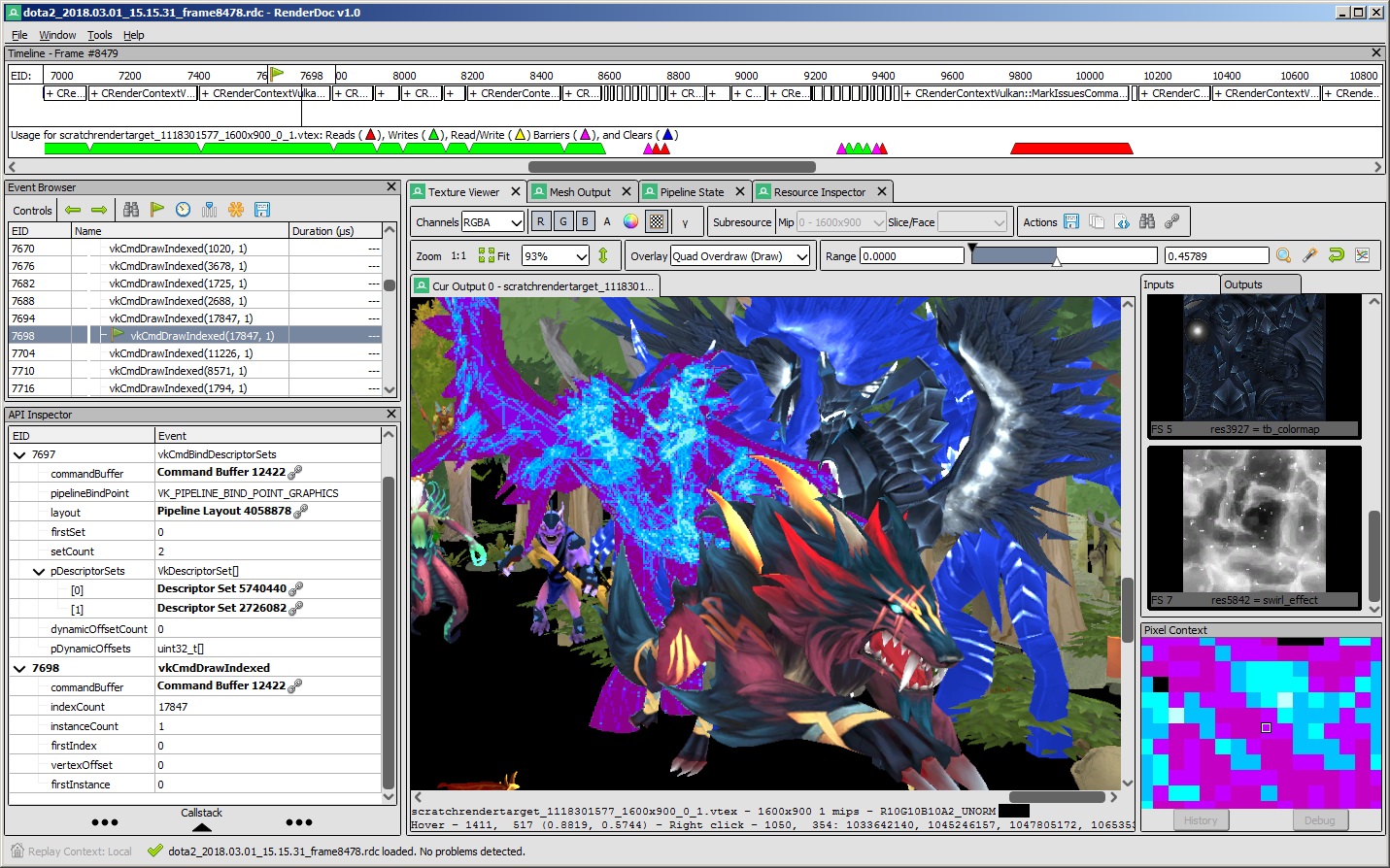
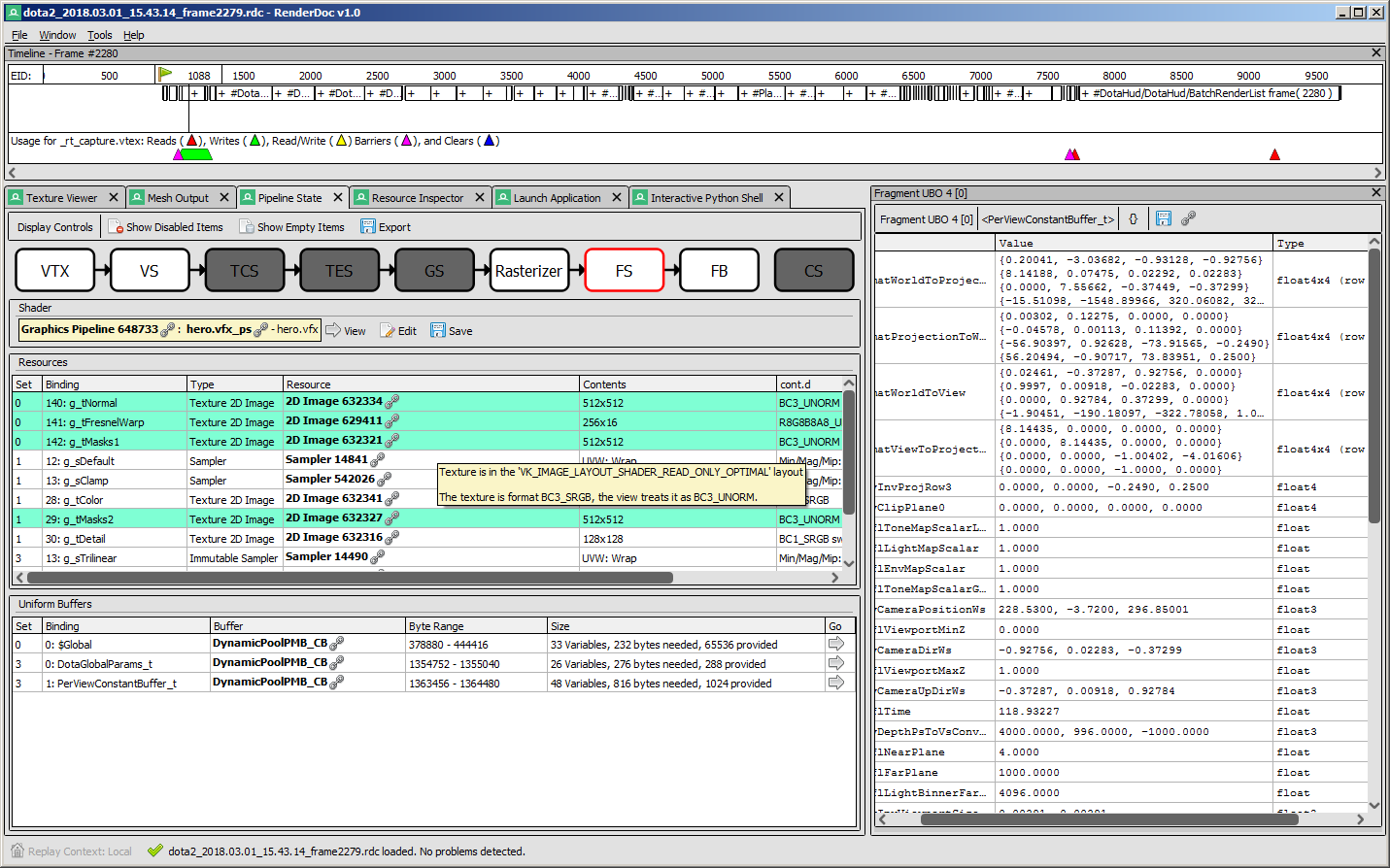
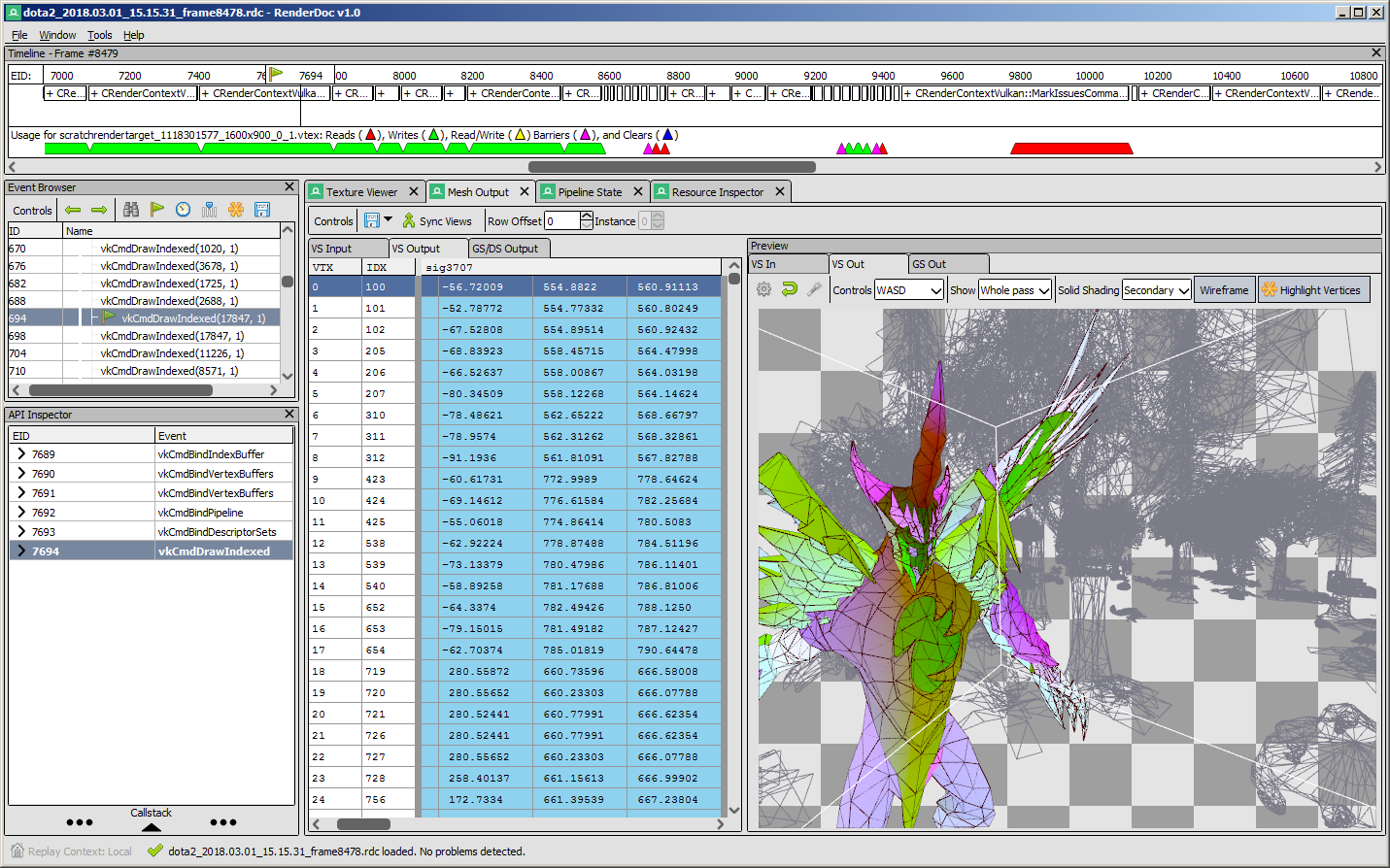
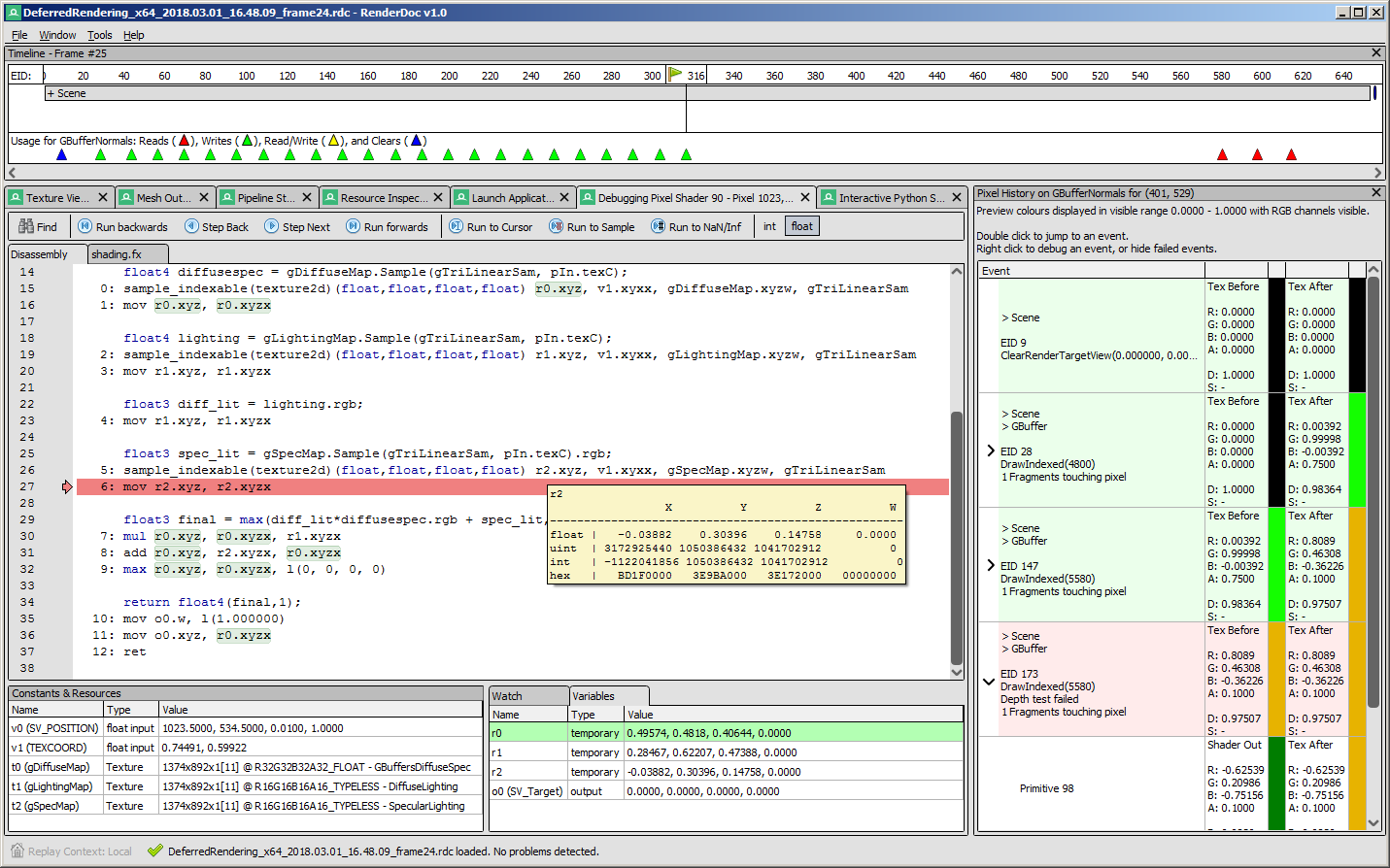
Screenshots
 |
 |
|---|---|
 |
 |
API Support
| Windows | Linux | Android | |
|---|---|---|---|
| Vulkan | ✔️ | ✔️ | ✔️ |
| OpenGL ES 2.0 - 3.2 | ✔️ | ✔️ | ✔️ |
| OpenGL 3.2 - 4.6 Core | ✔️ | ✔️ | N/A |
| D3D11 & D3D12 | ✔️ | N/A | N/A |
| OpenGL 1.0 - 2.0 Compat | ✖️ | ✖️ | N/A |
| D3D9 & 10 | ✖️ | N/A | N/A |
| Metal | N/A | N/A | N/A |
- Nintendo Switch™ support is distributed separately for authorized developers as part of the NintendoSDK. For more information, consult the Nintendo Developer Portal.
Downloads
There are binary releases available, built from the release targets. If you just want to use the program and you ended up here, this is what you want :).
It's recommended that if you're new you start with the stable builds. Nightly builds are available every day from the v1.x branch here if you need it, but correspondingly may be less stable.
Documentation
The text documentation is available online for the latest stable version, as well as in renderdoc.chm in any build. It's built from restructured text with sphinx.
As mentioned above there are some youtube videos showing the use of some basic features and an introduction/overview.
There is also a great presentation by @Icetigris which goes into some details of how RenderDoc can be used in real world situations: slides are up here.
License
RenderDoc is released under the MIT license, see LICENSE.md for full text as well as 3rd party library acknowledgements.
Compiling
Building RenderDoc is fairly straight forward on most platforms. See Compiling.md for more details.
Contributing & Development
I've added some notes on how to contribute, as well as where to get started looking through the code in Developing-Change.md. All contribution information is available under CONTRIBUTING.md.