mirror of
https://github.com/rustdesk/rustdesk.git
synced 2026-10-28 17:46:25 +00:00
 Ricardo Simõesandgreptile-apps[bot]
4b1821d1ff
Ricardo Simõesandgreptile-apps[bot]
4b1821d1ff
* Update pt_PT.rs

* Add files via upload

* Update README-PTPT.md

* Update README-PTPT.md

* Update README.md to include new pt-PT (docs/README-PTPT.md)

* Update docs/README-PTPT.md

Corrected link libs/base

Co-authored-by: greptile-apps[bot] <165735046+greptile-apps[bot]@users.noreply.github.com>

* Update docs/README-PTPT.md

Corrected "área de trabalho" to "área de transferência"

Co-authored-by: greptile-apps[bot] <165735046+greptile-apps[bot]@users.noreply.github.com>

* Update pt_PT.rs

Fix api_server_connection_tip and api_server_empty_tip: translate from en.rs source

* Fix relative links in README-PTPT.md (remove extra docs/ prefix)

* Fix section anchors in README-PTPT.md to match PT-PT headings

* Fix typos and gender agreement in README-PTPT.md disclaimer

* Use European Portuguese terms in README-PTPT.md screenshot alt text

* Translate shortcut instructions from en.rs source

* Update pt_PT.rs

Align shortcut and API server strings with en.rs source (keep {} placeholders)

* Revert JumpLink to original value (out of scope for this PR

* Replace remaining Brazilian Portuguese terms in README-PTPT.md

Replaces leftover Brazilian Portuguese wording with European Portuguese
equivalents (e.g. "conosco" -> "connosco", "controle" -> "controlo",
"conexão" -> "ligação", "Você tem" -> "Tem", "amigável" -> "acessível",
"desktop" -> "ambiente de trabalho"), consistent with the terminology
already used in src/lang/pt_PT.rs.

---------

Co-authored-by: greptile-apps[bot] <165735046+greptile-apps[bot]@users.noreply.github.com>
180 lines
10 KiB
Markdown
180 lines
10 KiB
Markdown
<p align="center">
|
|
<img src="../res/logo-header.svg" alt="RustDesk - O seu ambiente de trabalho remoto"><br>
|
|
<a href="#compilar">Compilar</a> •
|
|
<a href="#como-compilar-com-o-docker">Docker</a> •
|
|
<a href="#estrutura-de-ficheiros">Estrutura</a> •
|
|
<a href="#capturas-de-ecrã">Capturas de Ecrã</a><br>
|
|
[<a href="../README.md">Inglês</a>] | [<a href="README-UA.md">Ucraniano</a>] | [<a href="README-CS.md">Checo</a>] | [<a href="README-ZH.md">Chinês</a>] | [<a href="README-HU.md">Húngaro</a>] | [<a href="README-ES.md">Espanhol</a>] | [<a href="README-FA.md">Persa</a>] | [<a href="README-FR.md">Francês</a>] | [<a href="README-DE.md">Alemão</a>] | [<a href="README-PL.md">Polaco</a>] | [<a href="README-ID.md">Indonésio</a>] | [<a href="README-FI.md">Finlandês</a>] | [<a href="README-ML.md">Malaiala</a>] | [<a href="README-JP.md">Japonês</a>] | [<a href="README-NL.md">Holandês</a>] | [<a href="README-IT.md">Italiano</a>] | [<a href="README-RU.md">Russo</a>] | [<a href="README-EO.md">Esperanto</a>] | [<a href="README-KR.md">Coreano</a>] | [<a href="README-AR.md">Árabe</a>] | [<a href="README-VN.md">Vietnamita</a>] | [<a href="README-DA.md">Dinamarquês</a>] | [<a href="README-GR.md">Grego</a>] | [<a href="README-TR.md">Turco</a>] | [<a href="README-NO.md">Norueguês</a>] | [<a href="README-RO.md">Romeno</a>]<br>
|
|
<b>Precisamos da sua ajuda para traduzir este README, a <a href="https://github.com/rustdesk/rustdesk/tree/master/src/lang">Interface do RustDesk</a> e a <a href="https://github.com/rustdesk/doc.rustdesk.com">Documentação do RustDesk</a> para o seu idioma nativo</b>
|
|
</p>
|
|
|
|
> [!Caution]
|
|
> **Aviso de Isenção de Responsabilidade por Uso Indevido:** <br>
|
|
> Os programadores do RustDesk não toleram ou apoiam qualquer uso antiético ou ilegal deste software. O uso indevido, como acesso não autorizado, controlo ou invasão de privacidade, é estritamente contrário às nossas diretrizes. Os autores não se responsabilizam por qualquer uso indevido da aplicação.
|
|
|
|
|
|
Converse connosco: [Discord](https://discord.gg/nDceKgxnkV) | [Twitter](https://twitter.com/rustdesk) | [Reddit](https://www.reddit.com/r/rustdesk) | [YouTube](https://www.youtube.com/@rustdesk)
|
|
|
|
[](https://rustdesk.com/pricing.html)
|
|
|
|
Mais uma solução de ambiente de trabalho remoto, escrita em Rust. Funciona imediatamente, sem necessidade de configuração. Tem controlo total dos seus dados, sem preocupações com a segurança. Pode usar o nosso servidor de ligação/retransmissão (rendezvous/relay), [configurar o seu próprio](https://rustdesk.com/server) ou [escrever o seu próprio servidor de ligação/retransmissão](https://github.com/rustdesk/rustdesk-server-demo).
|
|
|
|
|
|
|
|
O RustDesk agradece as contribuições de todos. Veja [CONTRIBUTING.md](CONTRIBUTING.md) para obter ajuda para começar.
|
|
|
|
[**Perguntas Frequentes (FAQ)**](https://github.com/rustdesk/rustdesk/wiki/FAQ)
|
|
|
|
[**DOWNLOAD DOS BINÁRIOS**](https://github.com/rustdesk/rustdesk/releases)
|
|
|
|
[**VERSÕES NIGHTLY (EM DESENVOLVIMENTO)**](https://github.com/rustdesk/rustdesk/releases/tag/nightly)
|
|
|
|
[<img src="https://f-droid.org/badge/get-it-on.png"
|
|
alt="Transfira no F-Droid"
|
|
height="80">](https://f-droid.org/en/packages/com.carriez.flutter_hbb)
|
|
[<img src="https://flathub.org/api/badge?svg&locale=en"
|
|
alt="Transfira no Flathub"
|
|
height="80">](https://flathub.org/apps/com.rustdesk.RustDesk)
|
|
|
|
## Dependências
|
|
|
|
As versões para ambiente de trabalho usam Flutter ou Sciter (descontinuado) para a interface gráfica (GUI). Este tutorial é apenas para o Sciter, por ser mais fácil e acessível para começar. Consulte o nosso [CI](https://github.com/rustdesk/rustdesk/blob/master/.github/workflows/flutter-build.yml) para instruções de compilação da versão Flutter.
|
|
|
|
Por favor transfira a biblioteca dinâmica do Sciter por conta própria.
|
|
|
|
[Windows](https://raw.githubusercontent.com/c-smile/sciter-sdk/master/bin.win/x64/sciter.dll) |
|
|
[Linux](https://raw.githubusercontent.com/c-smile/sciter-sdk/master/bin.lnx/x64/libsciter-gtk.so) |
|
|
[macOS](https://raw.githubusercontent.com/c-smile/sciter-sdk/master/bin.osx/libsciter.dylib)
|
|
|
|
## Passos básicos para compilar
|
|
|
|
- Prepare o seu ambiente de desenvolvimento Rust e o ambiente de compilação C++
|
|
|
|
- Instale o [vcpkg](https://github.com/microsoft/vcpkg) e configure a variável de ambiente `VCPKG_ROOT` corretamente
|
|
|
|
- Windows: `vcpkg install libvpx:x64-windows-static libyuv:x64-windows-static opus:x64-windows-static aom:x64-windows-static`
|
|
- Linux/macOS: `vcpkg install libvpx libyuv opus aom`
|
|
|
|
- Execute `cargo run`
|
|
|
|
## [Compilar](https://rustdesk.com/docs/en/dev/build/)
|
|
|
|
## Como Compilar no Linux
|
|
|
|
### Ubuntu 18 (Debian 10)
|
|
|
|
```sh
|
|
sudo apt install -y zip g++ gcc git curl wget nasm yasm libgtk-3-dev clang libxcb-randr0-dev libxdo-dev libxfixes-dev libxcb-shape0-dev libxcb-xfixes0-dev libasound2-dev libpulse-dev cmake make libclang-dev ninja-build libgstreamer1.0-dev libgstreamer-plugins-base1.0-dev
|
|
```
|
|
|
|
### openSUSE Tumbleweed
|
|
|
|
```sh
|
|
sudo zypper install gcc-c++ git curl wget nasm yasm gcc gtk3-devel clang libxcb-devel libXfixes-devel cmake alsa-lib-devel gstreamer-devel gstreamer-plugins-base-devel xdotool-devel
|
|
```
|
|
|
|
### Fedora 28 (CentOS 8)
|
|
|
|
```sh
|
|
sudo yum -y install gcc-c++ git curl wget nasm yasm gcc gtk3-devel clang libxcb-devel libxdo-devel libXfixes-devel pulseaudio-libs-devel cmake alsa-lib-devel gstreamer1-devel gstreamer1-plugins-base-devel
|
|
```
|
|
|
|
### Arch (Manjaro)
|
|
|
|
```sh
|
|
sudo pacman -Syu --needed unzip git cmake gcc curl wget yasm nasm zip make pkg-config clang gtk3 xdotool libxcb libxfixes alsa-lib pipewire
|
|
```
|
|
|
|
### Instalar o vcpkg
|
|
|
|
```sh
|
|
git clone https://github.com/microsoft/vcpkg
|
|
cd vcpkg
|
|
git checkout 2023.04.15
|
|
cd ..
|
|
vcpkg/bootstrap-vcpkg.sh
|
|
export VCPKG_ROOT=$HOME/vcpkg
|
|
vcpkg/vcpkg install libvpx libyuv opus aom
|
|
```
|
|
|
|
### Corrigir o libvpx (Para Fedora)
|
|
|
|
```sh
|
|
cd vcpkg/buildtrees/libvpx/src
|
|
cd *
|
|
./configure
|
|
sed -i 's/CFLAGS+=-I/CFLAGS+=-fPIC -I/g' Makefile
|
|
sed -i 's/CXXFLAGS+=-I/CXXFLAGS+=-fPIC -I/g' Makefile
|
|
make
|
|
cp libvpx.a $HOME/vcpkg/installed/x64-linux/lib/
|
|
cd
|
|
```
|
|
|
|
### Compilar
|
|
|
|
```sh
|
|
curl --proto '=https' --tlsv1.2 -sSf https://sh.rustup.rs | sh
|
|
source $HOME/.cargo/env
|
|
git clone --recurse-submodules https://github.com/rustdesk/rustdesk
|
|
cd rustdesk
|
|
mkdir -p target/debug
|
|
wget https://raw.githubusercontent.com/c-smile/sciter-sdk/master/bin.lnx/x64/libsciter-gtk.so
|
|
mv libsciter-gtk.so target/debug
|
|
VCPKG_ROOT=$HOME/vcpkg cargo run
|
|
```
|
|
|
|
## Como compilar com o Docker
|
|
|
|
Comece por clonar o repositório e construir o contentor Docker:
|
|
|
|
```sh
|
|
git clone https://github.com/rustdesk/rustdesk
|
|
cd rustdesk
|
|
git submodule update --init --recursive
|
|
docker build -t "rustdesk-builder" .
|
|
```
|
|
|
|
Depois, cada vez que precisar de compilar a aplicação, execute o seguinte comando:
|
|
|
|
```sh
|
|
docker run --rm -it -v $PWD:/home/user/rustdesk -v rustdesk-git-cache:/home/user/.cargo/git -v rustdesk-registry-cache:/home/user/.cargo/registry -e PUID="$(id -u)" -e PGID="$(id -g)" rustdesk-builder
|
|
```
|
|
|
|
Note que a primeira compilação pode demorar mais até que as dependências sejam armazenadas em cache, as compilações subsequentes serão mais rápidas. Além disso, se precisar especificar argumentos diferentes para o comando de compilação, poderá fazê-lo no final do comando na posição `<ARGUMENTOS-OPCIONAIS>`. Por exemplo, se quiser compilar uma versão de lançamento (release) otimizada, executaria o comando acima seguido de `--release`. O executável resultante estará disponível na pasta `target` do seu sistema e pode ser executado com:
|
|
|
|
```sh
|
|
target/debug/rustdesk
|
|
```
|
|
|
|
Ou, se estiver a correr o executável de lançamento:
|
|
|
|
```sh
|
|
target/release/rustdesk
|
|
```
|
|
|
|
Certifique-se de que executa estes comandos a partir da raiz do repositório do RustDesk, caso contrário a aplicação poderá não encontrar os recursos necessários. Note também que outros subcomandos do cargo, como `install` ou `run`, não são suportados atualmente por este método, pois instalariam ou executariam o programa dentro do contentor em vez de o fazerem no host.
|
|
|
|
## Estrutura de Ficheiros
|
|
|
|
- **[libs/hbb_common](https://github.com/rustdesk/rustdesk/tree/master/libs/hbb_common)**: codec de vídeo, configuração, wrapper TCP/UDP e algumas outras funções utilitárias partilhadas com o servidor
|
|
- **[libs/base](https://github.com/rustdesk/rustdesk/tree/master/libs/base)**: protobuf, funções fs para transferência de ficheiros, código relacionado com o teclado e com a plataforma utilizado exclusivamente por esta aplicação
|
|
- **[libs/scrap](https://github.com/rustdesk/rustdesk/tree/master/libs/scrap)**: captura de ecrã
|
|
- **[libs/enigo](https://github.com/rustdesk/rustdesk/tree/master/libs/enigo)**: controlo de teclado/rato específico da plataforma.
|
|
- **[libs/clipboard](https://github.com/rustdesk/rustdesk/tree/master/libs/clipboard)**: implementação de copiar e colar ficheiros para Windows, Linux e macOS.
|
|
- **[src/ui](https://github.com/rustdesk/rustdesk/tree/master/src/ui)**: interface Sciter obsoleta (descontinuada).
|
|
- **[src/server](https://github.com/rustdesk/rustdesk/tree/master/src/server)**: serviços de áudio, área de transferência, entrada e vídeo, e ligações de rede
|
|
- **[src/client.rs](https://github.com/rustdesk/rustdesk/tree/master/src/client.rs)**: inicia uma ligação entre pares
|
|
- **[src/rendezvous_mediator.rs](https://github.com/rustdesk/rustdesk/tree/master/src/rendezvous_mediator.rs)**: Comunica com o [rustdesk-server](https://github.com/rustdesk/rustdesk-server), aguarda por uma ligação direta remota (TCP hole punching) ou uma ligação retransmitida
|
|
- **[src/platform](https://github.com/rustdesk/rustdesk/tree/master/src/platform)**: código específico da plataforma
|
|
- **[flutter](https://github.com/rustdesk/rustdesk/tree/master/flutter)**: código Flutter para ambiente de trabalho e dispositivos móveis
|
|
|
|
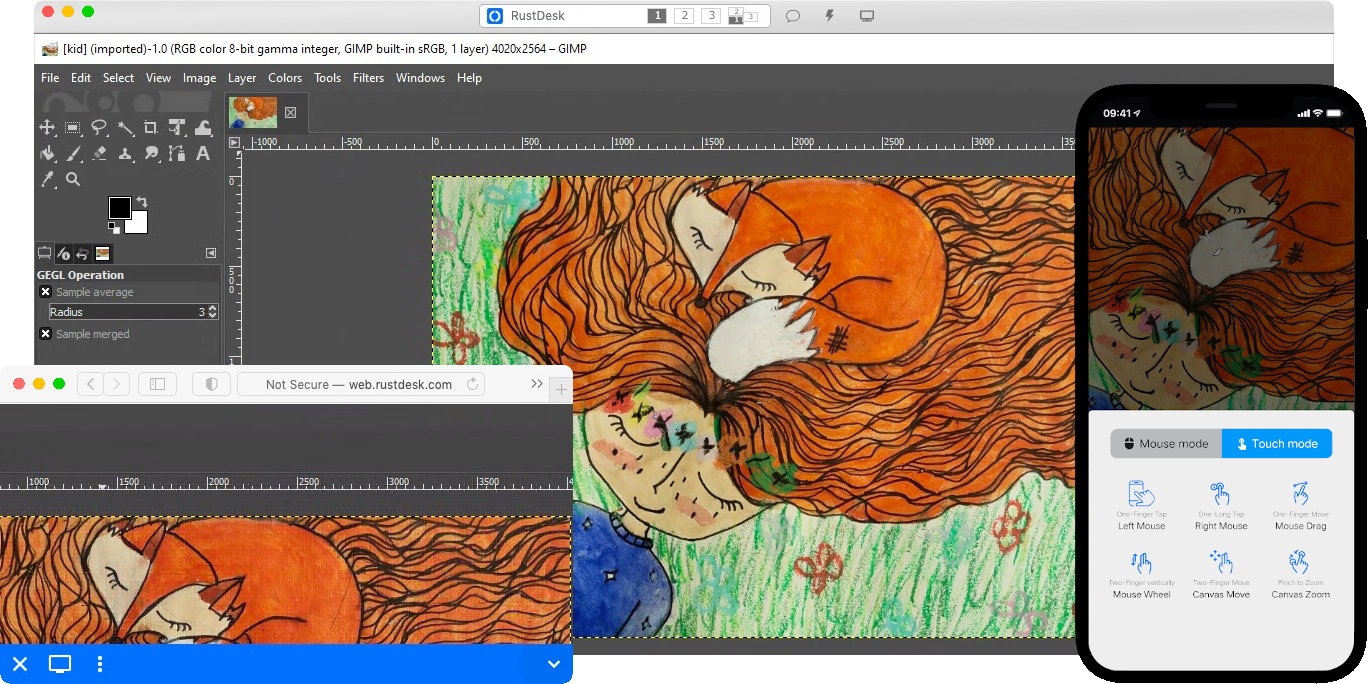
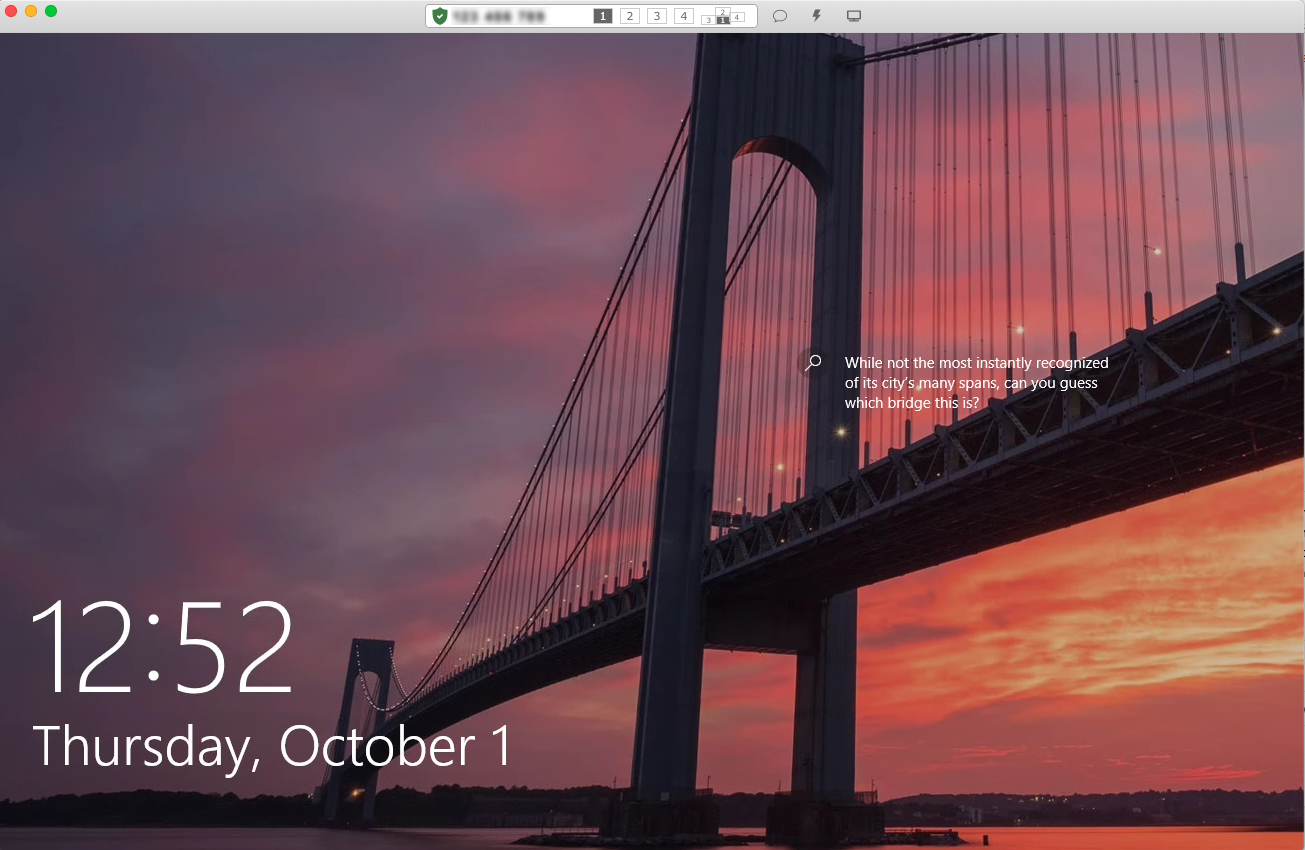
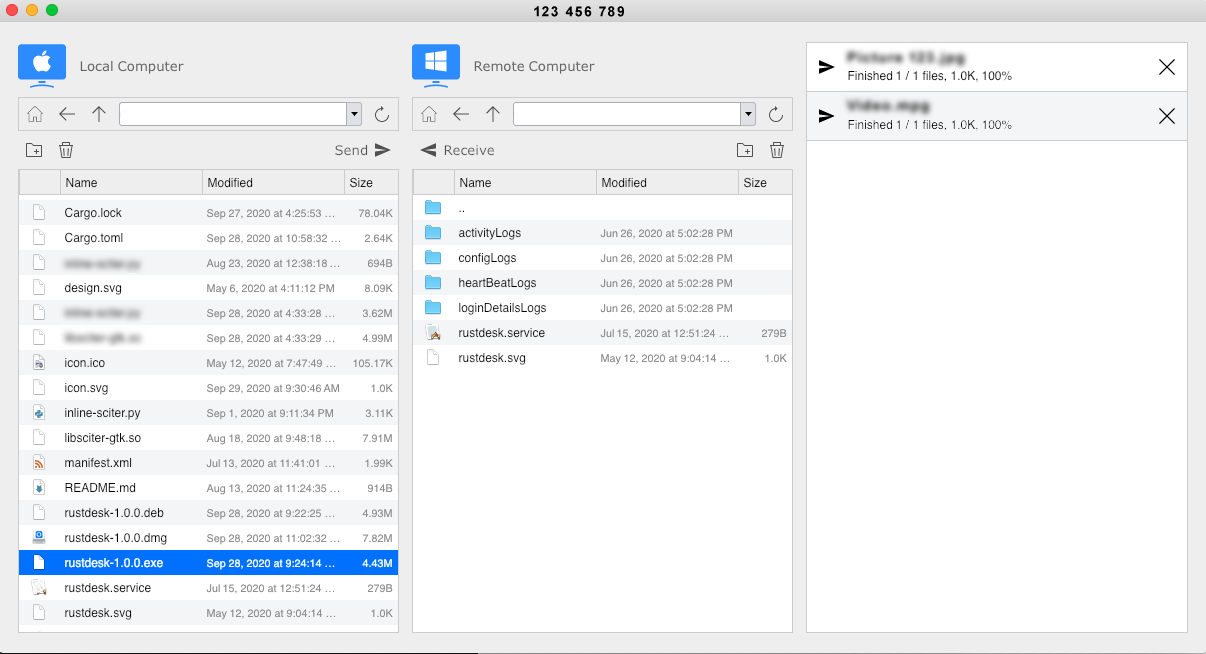
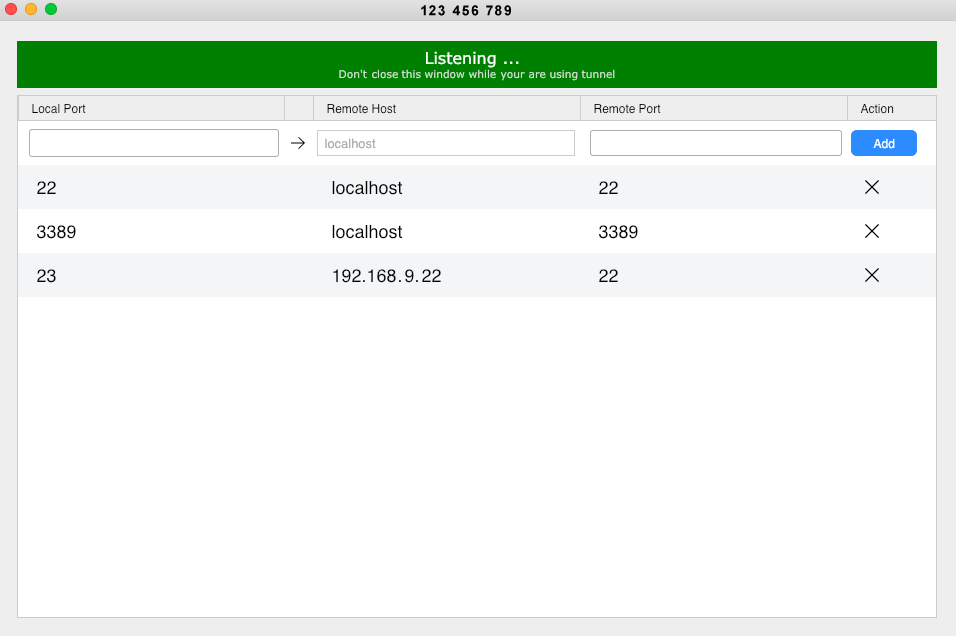
## Capturas de Ecrã
|
|
|
|

|
|
|
|
|
|
|
|
|
|
|
|
|