 RustDeskandClaude Opus 5.5
2c085f91db
* Only relay to addresses this peer offered, and bound relay uuids

A RequestRelay forwarded by the rendezvous server carries the relay
address and uuid the requester filled in, and the controlled peer
dialed that address as given. A genuine controller only echoes the
relay this peer put in its own PunchHoleSent or LocalAddr, so remember
those (plus the relay this peer would pick by itself) and drop any
request that names something else, before resolving or connecting.

Relay uuids are opaque pairing keys that arrive from the network and
are sent on to the relay, so both the controlled side (RequestRelay)
and the controller (RelayResponse) now refuse ones that are empty,
longer than 128 bytes, or carry anything but ASCII alphanumerics, '-'
and '_'. This matches the check hbbs applies before forwarding.

Known limits: a WebRTC-failure fallback that follows a peer-initiated
relay whose address hbbs rewrote for the LAN is refused; a refused
request gets no reply, so the controller sees its relay attempts time
out.

Co-Authored-By: Claude Opus 5.5 <noreply@anthropic.com>
Claude-Session: https://claude.ai/code/session_01JAxkkh9Gd5dwGW8vL9JNV8

* Expire reported relays after ten minutes

A relay dropped from the configuration or no longer offered by the
rendezvous server stops being an accepted RequestRelay destination once
its last report is ten minutes old. Reporting it again restarts the
clock. The list is shared by all mediators, so it is not cleared when
one starts.

The comment now says where the entries come from and that the list only
bounds where a request can send this peer; it does not authenticate the
request.

Co-Authored-By: Claude Opus 5.5 <noreply@anthropic.com>
Claude-Session: https://claude.ai/code/session_01JAxkkh9Gd5dwGW8vL9JNV8

* Test relay expiry through the relay request check

The expiry tests only called the cache helpers, so a request check that
stopped honouring the expiry would still pass them. check_relay_request
now takes the time like the helpers do, and the request test asserts an
expired relay is refused and accepted again once re-reported. Passing a
later time instead of recording an earlier one avoids Instant underflow
on Windows hosts up for less than ten minutes.

Also formats this PR's own relay check and expiry tests with rustfmt.

Co-Authored-By: Claude Opus 5.5 <noreply@anthropic.com>
Claude-Session: https://claude.ai/code/session_01JAxkkh9Gd5dwGW8vL9JNV8

---------

Co-authored-by: Claude Opus 5.5 <noreply@anthropic.com>

Build •
Docker •
Structure •
Screenshots
[Українська] | [česky] | [中文] | [Magyar] | [Español] | [فارسی] | [Français] | [Deutsch] | [Polski] | [Indonesian] | [Suomi] | [മലയാളം] | [日本語] | [Nederlands] | [Italiano] | [Русский] | [Português (Portugal)] | [Português (Brasil)] | [Esperanto] | [한국어] | [العربي] | [Tiếng Việt] | [Dansk] | [Ελληνικά] | [Türkçe] | [Norsk] | [Română]
We need your help to translate this README, RustDesk UI and RustDesk Doc to your native language
Caution
Misuse Disclaimer:
The developers of RustDesk do not condone or support any unethical or illegal use of this software. Misuse, such as unauthorized access, control or invasion of privacy, is strictly against our guidelines. The authors are not responsible for any misuse of the application.
Chat with us: Discord | Twitter | Reddit | YouTube

Yet another remote desktop solution, written in Rust. Works out of the box with no configuration required. You have full control of your data, with no concerns about security. You can use our rendezvous/relay server, set up your own, or write your own rendezvous/relay server.
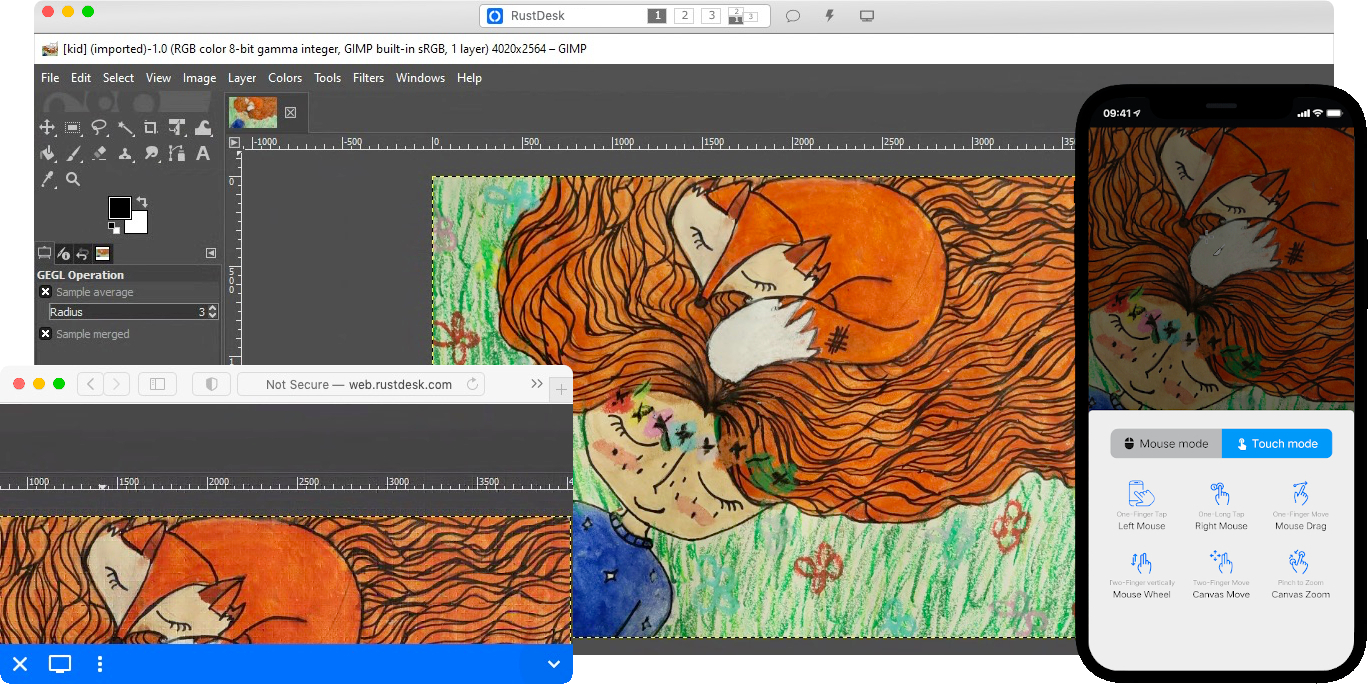
RustDesk welcomes contribution from everyone. See CONTRIBUTING.md for help getting started.

Dependencies
Desktop versions use Flutter or Sciter (deprecated) for GUI. This tutorial is for Sciter only, since it is easier and more friendly to start. Check out our CI for building the Flutter version.
Please download Sciter dynamic library yourself.
Raw Steps to build
-
Prepare your Rust development env and C++ build env
-
Install vcpkg, and set
VCPKG_ROOTenv variable correctly- Windows: vcpkg install libvpx:x64-windows-static libyuv:x64-windows-static opus:x64-windows-static aom:x64-windows-static
- Linux/macOS: vcpkg install libvpx libyuv opus aom
-
run
cargo run
Build
How to Build on Linux
Ubuntu 18 (Debian 10)
sudo apt install -y zip g++ gcc git curl wget nasm yasm libgtk-3-dev clang libxcb-randr0-dev libxdo-dev \
        libxfixes-dev libxcb-shape0-dev libxcb-xfixes0-dev libasound2-dev libpulse-dev cmake make \
        libclang-dev ninja-build libgstreamer1.0-dev libgstreamer-plugins-base1.0-dev
openSUSE Tumbleweed
sudo zypper install gcc-c++ git curl wget nasm yasm gcc gtk3-devel clang libxcb-devel libXfixes-devel cmake alsa-lib-devel gstreamer-devel gstreamer-plugins-base-devel xdotool-devel
Fedora 28 (CentOS 8)
sudo yum -y install gcc-c++ git curl wget nasm yasm gcc gtk3-devel clang libxcb-devel libxdo-devel libXfixes-devel pulseaudio-libs-devel cmake alsa-lib-devel gstreamer1-devel gstreamer1-plugins-base-devel
Arch (Manjaro)
sudo pacman -Syu --needed unzip git cmake gcc curl wget yasm nasm zip make pkg-config clang gtk3 xdotool libxcb libxfixes alsa-lib pipewire
Install vcpkg
git clone https://github.com/microsoft/vcpkg
cd vcpkg
git checkout 2023.04.15
cd ..
vcpkg/bootstrap-vcpkg.sh
export VCPKG_ROOT=$HOME/vcpkg
vcpkg/vcpkg install libvpx libyuv opus aom
Fix libvpx (For Fedora)
cd vcpkg/buildtrees/libvpx/src
cd *
./configure
sed -i 's/CFLAGS+=-I/CFLAGS+=-fPIC -I/g' Makefile
sed -i 's/CXXFLAGS+=-I/CXXFLAGS+=-fPIC -I/g' Makefile
make
cp libvpx.a $HOME/vcpkg/installed/x64-linux/lib/
cd
Build
curl --proto '=https' --tlsv1.2 -sSf https://sh.rustup.rs | sh
source $HOME/.cargo/env
git clone --recurse-submodules https://github.com/rustdesk/rustdesk
cd rustdesk
mkdir -p target/debug
wget https://raw.githubusercontent.com/c-smile/sciter-sdk/master/bin.lnx/x64/libsciter-gtk.so
mv libsciter-gtk.so target/debug
VCPKG_ROOT=$HOME/vcpkg cargo run
How to build with Docker
Begin by cloning the repository and building the Docker container:
git clone https://github.com/rustdesk/rustdesk
cd rustdesk
git submodule update --init --recursive
docker build -t "rustdesk-builder" .
Then, each time you need to build the application, run the following command:
docker run --rm -it -v $PWD:/home/user/rustdesk -v rustdesk-git-cache:/home/user/.cargo/git -v rustdesk-registry-cache:/home/user/.cargo/registry -e PUID="$(id -u)" -e PGID="$(id -g)" rustdesk-builder
Note that the first build may take longer before dependencies are cached, subsequent builds will be faster. Additionally, if you need to specify different arguments to the build command, you may do so at the end of the command in the <OPTIONAL-ARGS> position. For instance, if you wanted to build an optimized release version, you would run the command above followed by --release. The resulting executable will be available in the target folder on your system, and can be run with:
target/debug/rustdesk
Or, if you're running a release executable:
target/release/rustdesk
Please ensure that you run these commands from the root of the RustDesk repository, or the application may not find the required resources. Also note that other cargo subcommands such as install or run are not currently supported via this method as they would install or run the program inside the container instead of the host.
File Structure
- libs/hbb_common: video codec, config, tcp/udp wrapper, and some other utility functions shared with the server
- libs/base: protobuf, fs functions for file transfer, keyboard and platform code used only by this app
- libs/scrap: screen capture
- libs/enigo: platform specific keyboard/mouse control
- libs/clipboard: file copy and paste implementation for Windows, Linux, macOS.
- src/ui: obsolete Sciter UI (deprecated)
- src/server: audio/clipboard/input/video services, and network connections
- src/client.rs: start a peer connection
- src/rendezvous_mediator.rs: Communicate with rustdesk-server, wait for remote direct (TCP hole punching) or relayed connection
- src/platform: platform specific code
- flutter: Flutter code for desktop and mobile