 RustDeskandClaude Fable 5.2
66992ab737
* clipboard: declare file sizes in the Windows file list Pasting files from a Windows peer got slower with the number of files and then stopped working, while the total size made no difference: one 32 MB file pasted at once, 45 small files took seconds, and 50 small files totalling 8.3 MB left the shell spinning and copied nothing. The sender never set FD_FILESIZE, although it had already read the size and filled nFileSizeLow/nFileSizeHigh. Without that flag the receiver cannot trust those fields, so CliprdrStream_New() asks for the size of each file with its own FILECONTENTS_SIZE request and blocks on the reply for up to CLIPBOARD_RESPONSE_WAIT_TIMEOUT_SECS. Those streams are all built up front, in the loop that answers the shell's request for the file group descriptor, so the round trips run one after another inside IDataObject::GetData() and the shell waits for every one of them before the paste can begin. The cost is therefore per file, not per byte, which is what the reports describe. The size is now declared, and only when it is known: GetFileSizeEx() replaces GetFileSize(), whose INVALID_FILE_SIZE return cannot be told from a genuine 4GB-1 file without GetLastError(), and directories are skipped because the handle opened with FILE_FLAG_BACKUP_SEMANTICS above is not a file handle. A regular file whose size cannot be read is rejected instead of publishing an ambiguous zero size. This is required because the Unix receiver currently consumes the descriptor size fields regardless of FD_FILESIZE for compatibility with older Windows senders. Upstream FreeRDP, which this file comes from, sets FD_FILESIZE here. It has been commented out in our copy since the file was first added in6672087f7, with no recorded reason; the "for compatibility" note above it was written later, in55005f812, about code that already looked this way. The Unix receiver carries the other half of the same workaround in filetype.rs, where the size is trusted whether or not the flag is set, explicitly "for compatibility with Windows". This is a sender-side fix: the paste gets faster once the machine the files come from runs it, whichever version does the pasting. Fixes #16238 Co-Authored-By: Claude Fable 5.1 <noreply@anthropic.com> Claude-Session: https://claude.ai/code/session_01EZ49AbZJYfm8NTp5yDPMab * clipboard: fail a size request for an entry that has no size The descriptor now carries FD_FILESIZE only when the size was actually read, which leaves both size fields at zero for an entry where it was not. The non-stream FILECONTENTS_SIZE handler passed those fields straight back, so a receiver asking about such an entry would be told it is empty and would write a zero-length file without any error. The previous code returned whatever GetFileSize() had left behind, which for a failure is INVALID_FILE_SIZE -- also wrong, but wrong loudly. Answer only when the descriptor has a size, and fail the request otherwise. The receiver then fails the paste instead of completing it with an empty file, which is the same class of outcome the old code produced for that entry. The IStream_Stat path is unchanged; it already answers from the stream. Co-Authored-By: Claude Fable 5.1 <noreply@anthropic.com> Claude-Session: https://claude.ai/code/session_01EZ49AbZJYfm8NTp5yDPMab * clipboard: pass the file count at its C width on 32-bit Windows HandleClipboardFiles is declared in cliprdr.h as (UINT32 connID, size_t nFiles, WCHAR **fileNames), but the Rust size_t alias came from bindgen output generated on x64: c_ulonglong. On i686 the C caller passes a 4-byte nFiles while the Rust callee reads 8 bytes, so n_files takes the fileNames pointer as its high half and file_names is read from the stack slot past the arguments. The first dereference faults and the process serving the files dies. The callback fires once per paste, when the audit file is first read, so on a 32-bit build a paste of files copied there crashes partway. On the controlled side that process is the connection manager: the server logs "ipc to connection manager exit: reset by the peer", closes the connection, and the remaining files fail. 64-bit builds are not affected. The callback came with #12730, so every 32-bit release since 1.4.2 has this. size_t is the only pointer-sized type in these bindings that crosses the FFI boundary. Co-Authored-By: Claude Opus 5.5 <noreply@anthropic.com> Claude-Session: https://claude.ai/code/session_01JAxkkiaGp2k8okvs4MpCUq * clipboard: notify the audit at the first file of a list, not the last wf_cliprdr_add_to_file_arrays() assigned first_file_index for every regular file, so it ended up holding the last one, and HandleClipboardFiles fired when the paste reached the last file rather than when it started. A paste cancelled before its last file sent no audit record. The Unix owner in serv_files.rs already takes the first regular file. Keep the first assignment only. clear_file_array() resets the index to (size_t)-1 before every list is built. Co-Authored-By: Claude Opus 5.5 <noreply@anthropic.com> Claude-Session: https://claude.ai/code/session_01JAxkkiaGp2k8okvs4MpCUq * Revert "clipboard: fail a size request for an entry that has no size" This reverts commitaba7020834. The check guarded a state the descriptor change already rules out: a regular file whose size cannot be read is rejected when the list is built, so only directories go out without FD_FILESIZE. No receiver asks a directory for its size: Windows receivers skip directories in CliprdrStream_New(), and the Unix receivers only send FILECONTENTS_RANGE. Keep the existing FILECONTENTS_SIZE answer unchanged. Co-Authored-By: Claude Opus 5.5 <noreply@anthropic.com> Claude-Session: https://claude.ai/code/session_01JAxkkiaGp2k8okvs4MpCUq * clipboard: reject a file list entry whose attributes cannot be read GetFileAttributesW() reports failure as INVALID_FILE_ATTRIBUTES, which is 0xFFFFFFFF and so has FILE_ATTRIBUTE_DIRECTORY set. The entry then skipped the size read and went out as a directory with FD_ATTRIBUTES, and both the Windows and the Unix receivers created an empty directory where the file should be, without reporting an error. Fail the descriptor, as for the other errors here, so the paste fails instead of losing the file. After this only real directories go out without FD_FILESIZE. Co-Authored-By: Claude Opus 5.5 <noreply@anthropic.com> Claude-Session: https://claude.ai/code/session_01JAxkkiaGp2k8okvs4MpCUq * clipboard: start the audit at the first non-empty file The audit fires on the first range read of first_file_index. Receivers never read an empty file: the Windows stream returns S_FALSE once the offset reaches the declared size, and the macOS and FUSE receivers create empty files locally. A list that starts with an empty file therefore sent no audit record at all, while its other files were copied. Skip empty files when choosing the index. Every regular file in the list now carries a size that was actually read, so the check is reliable. A list with no non-empty file still sends no record, as before. Co-Authored-By: Claude Opus 5.5 <noreply@anthropic.com> Claude-Session: https://claude.ai/code/session_01JAxkkiaGp2k8okvs4MpCUq * clipboard: do not claim GetFileSize() fails on a directory handle The comment said so without a check. What matters is that a directory entry carries no size, whatever its handle would report. Co-Authored-By: Claude Fable 5.2 <noreply@anthropic.com> Claude-Session: https://claude.ai/code/session_01JAxkkiaGp2k8okvs4MpCUq --------- Co-authored-by: Claude Fable 5.1 <noreply@anthropic.com>

Build •
Docker •
Structure •
Screenshots
[Українська] | [česky] | [中文] | [Magyar] | [Español] | [فارسی] | [Français] | [Deutsch] | [Polski] | [Indonesian] | [Suomi] | [മലയാളം] | [日本語] | [Nederlands] | [Italiano] | [Русский] | [Português (Portugal)] | [Português (Brasil)] | [Esperanto] | [한국어] | [العربي] | [Tiếng Việt] | [Dansk] | [Ελληνικά] | [Türkçe] | [Norsk] | [Română]
We need your help to translate this README, RustDesk UI and RustDesk Doc to your native language
Caution
Misuse Disclaimer:
The developers of RustDesk do not condone or support any unethical or illegal use of this software. Misuse, such as unauthorized access, control or invasion of privacy, is strictly against our guidelines. The authors are not responsible for any misuse of the application.
Chat with us: Discord | Twitter | Reddit | YouTube

Yet another remote desktop solution, written in Rust. Works out of the box with no configuration required. You have full control of your data, with no concerns about security. You can use our rendezvous/relay server, set up your own, or write your own rendezvous/relay server.
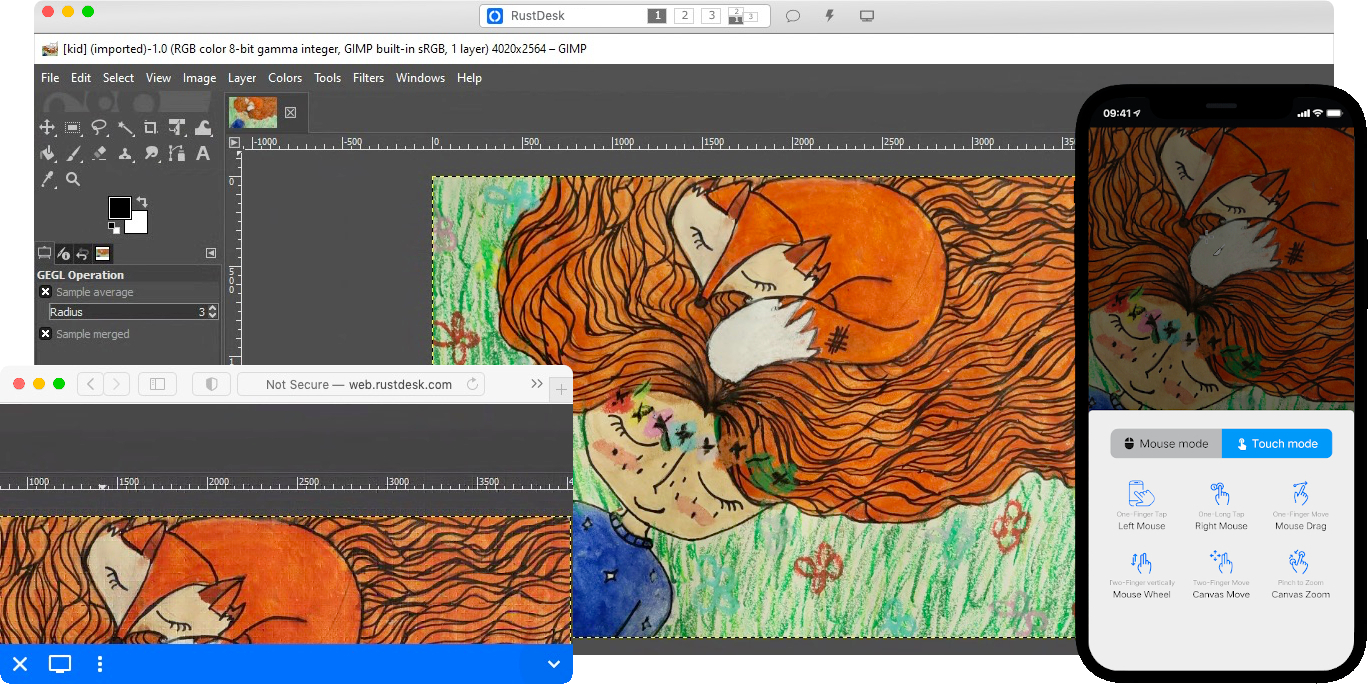
RustDesk welcomes contribution from everyone. See CONTRIBUTING.md for help getting started.

Dependencies
Desktop versions use Flutter or Sciter (deprecated) for GUI. This tutorial is for Sciter only, since it is easier and more friendly to start. Check out our CI for building the Flutter version.
Please download Sciter dynamic library yourself.
Raw Steps to build
-
Prepare your Rust development env and C++ build env
-
Install vcpkg, and set
VCPKG_ROOTenv variable correctly- Windows: vcpkg install libvpx:x64-windows-static libyuv:x64-windows-static opus:x64-windows-static aom:x64-windows-static
- Linux/macOS: vcpkg install libvpx libyuv opus aom
-
run
cargo run
Build
How to Build on Linux
Ubuntu 18 (Debian 10)
sudo apt install -y zip g++ gcc git curl wget nasm yasm libgtk-3-dev clang libxcb-randr0-dev libxdo-dev \
        libxfixes-dev libxcb-shape0-dev libxcb-xfixes0-dev libasound2-dev libpulse-dev cmake make \
        libclang-dev ninja-build libgstreamer1.0-dev libgstreamer-plugins-base1.0-dev
openSUSE Tumbleweed
sudo zypper install gcc-c++ git curl wget nasm yasm gcc gtk3-devel clang libxcb-devel libXfixes-devel cmake alsa-lib-devel gstreamer-devel gstreamer-plugins-base-devel xdotool-devel
Fedora 28 (CentOS 8)
sudo yum -y install gcc-c++ git curl wget nasm yasm gcc gtk3-devel clang libxcb-devel libxdo-devel libXfixes-devel pulseaudio-libs-devel cmake alsa-lib-devel gstreamer1-devel gstreamer1-plugins-base-devel
Arch (Manjaro)
sudo pacman -Syu --needed unzip git cmake gcc curl wget yasm nasm zip make pkg-config clang gtk3 xdotool libxcb libxfixes alsa-lib pipewire
Install vcpkg
git clone https://github.com/microsoft/vcpkg
cd vcpkg
git checkout 2023.04.15
cd ..
vcpkg/bootstrap-vcpkg.sh
export VCPKG_ROOT=$HOME/vcpkg
vcpkg/vcpkg install libvpx libyuv opus aom
Fix libvpx (For Fedora)
cd vcpkg/buildtrees/libvpx/src
cd *
./configure
sed -i 's/CFLAGS+=-I/CFLAGS+=-fPIC -I/g' Makefile
sed -i 's/CXXFLAGS+=-I/CXXFLAGS+=-fPIC -I/g' Makefile
make
cp libvpx.a $HOME/vcpkg/installed/x64-linux/lib/
cd
Build
curl --proto '=https' --tlsv1.2 -sSf https://sh.rustup.rs | sh
source $HOME/.cargo/env
git clone --recurse-submodules https://github.com/rustdesk/rustdesk
cd rustdesk
mkdir -p target/debug
wget https://raw.githubusercontent.com/c-smile/sciter-sdk/master/bin.lnx/x64/libsciter-gtk.so
mv libsciter-gtk.so target/debug
VCPKG_ROOT=$HOME/vcpkg cargo run
How to build with Docker
Begin by cloning the repository and building the Docker container:
git clone https://github.com/rustdesk/rustdesk
cd rustdesk
git submodule update --init --recursive
docker build -t "rustdesk-builder" .
Then, each time you need to build the application, run the following command:
docker run --rm -it -v $PWD:/home/user/rustdesk -v rustdesk-git-cache:/home/user/.cargo/git -v rustdesk-registry-cache:/home/user/.cargo/registry -e PUID="$(id -u)" -e PGID="$(id -g)" rustdesk-builder
Note that the first build may take longer before dependencies are cached, subsequent builds will be faster. Additionally, if you need to specify different arguments to the build command, you may do so at the end of the command in the <OPTIONAL-ARGS> position. For instance, if you wanted to build an optimized release version, you would run the command above followed by --release. The resulting executable will be available in the target folder on your system, and can be run with:
target/debug/rustdesk
Or, if you're running a release executable:
target/release/rustdesk
Please ensure that you run these commands from the root of the RustDesk repository, or the application may not find the required resources. Also note that other cargo subcommands such as install or run are not currently supported via this method as they would install or run the program inside the container instead of the host.
File Structure
- libs/hbb_common: video codec, config, tcp/udp wrapper, and some other utility functions shared with the server
- libs/base: protobuf, fs functions for file transfer, keyboard and platform code used only by this app
- libs/scrap: screen capture
- libs/enigo: platform specific keyboard/mouse control
- libs/clipboard: file copy and paste implementation for Windows, Linux, macOS.
- src/ui: obsolete Sciter UI (deprecated)
- src/server: audio/clipboard/input/video services, and network connections
- src/client.rs: start a peer connection
- src/rendezvous_mediator.rs: Communicate with rustdesk-server, wait for remote direct (TCP hole punching) or relayed connection
- src/platform: platform specific code
- flutter: Flutter code for desktop and mobile